EasyManua.ls Logo

Accutron Ultra PC % - User Manual

Accutron Ultra PC %
28 pages
Print Icon
To Next Page IconTo Next Page
Loading...
1
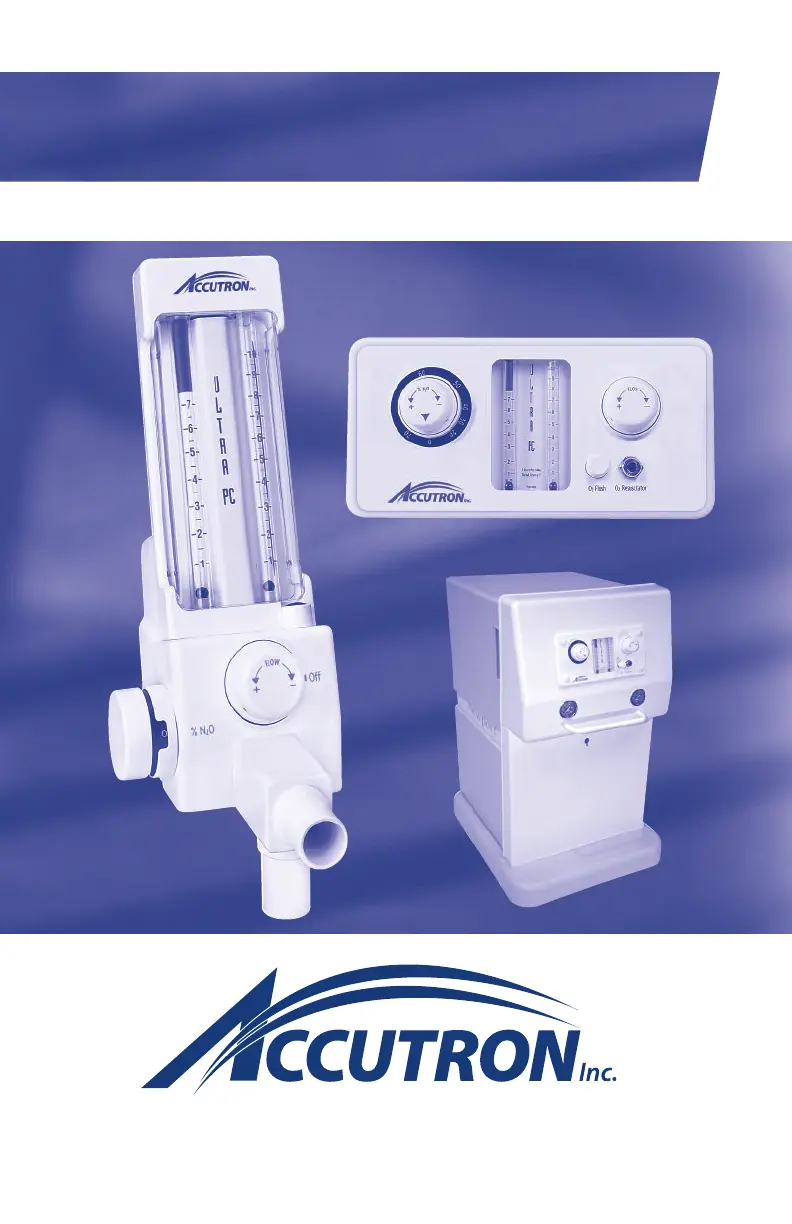
Ultra PC™ % Flowmeter User Manual

Questions and Answers

  • J
    Justin TaylorAug 6, 2025
    What to do if there is no O2 or N2O flow in Accutron Measuring Instruments?
    • W
      William RiosAug 6, 2025
      If there is no flow of O2 or N2O, check the following: 1. Ensure the O2 and/or N2O supply is turned on in the tank room or on the portable unit. 2. Confirm the analgesia gas machine is connected to the source (wall outlet). 3. Replace any empty O2 or N2O gas cylinders with full ones.
  • W
    william70Aug 11, 2025
    Why can I get O2 flow but not N2O flow in Accutron Measuring Instruments?
    • T
      Tyler MathewsAug 11, 2025
      If you can get O2 flow but not N2O flow, consider these potential causes: 1. The N2O supply might not be turned on. Ensure the N2O tank is turned on. 2. The N2O cylinder may be empty. Replace it with a full cylinder. 3. The O2 line pressure might be low, activating the fail-safe. Check the O2 gas line pressure, ensuring it is between 50-55 psi. If it's not, contact your dealer for service.
  • A
    Amanda BoltonAug 17, 2025
    What to do if O2 and N2O flows vary proportionally in Accutron Measuring Instruments?
    • K
      Keith MirandaAug 17, 2025
      If both O2 and N2O flows vary proportionally with no change in the flow setting, the O2 or N2O regulator might not be maintaining system pressure. Check the gas line pressure to ensure it is between 50-55 psi. If not, call your dealer for service.
  • J
    Jeffrey GordonAug 23, 2025
    What to do if I cannot get 10 lpm O2 flow in Accutron Measuring Instruments?
    • T
      Terry CastilloAug 23, 2025
      If you cannot get 10 lpm O2 flow with the N2O knob at zero and the O2 knob fully open, the O2 pressure setting may be low. Check the O2 regulator and ensure the O2 pressure is between 50-55 psi. If it is not, contact your dealer for service.
  • A
    Angela TaylorAug 29, 2025
    What to do if N2O flows are indicated with O2 Knob at zero in Accutron Measuring Instruments?
    • B
      Brad SchwartzAug 29, 2025
      If N2O flows are indicated with the O2 knob at zero, the fail-safe system is not functioning properly. Remove the unit from service and return it to your dealer or Accutron, Inc., for service. Do not use the unit until it has been repaired.

Summary

Indications for Use

Contraindications for Nitrous Oxide;Oxygen

Important Warnings

Device Cautions and Restrictions

I. PC Upright Units

Technical Specifications

Details physical dimensions, weight, gas supply, fittings, and gas delivery specifications.

PC Upright Central Gas System Mounting Options

PC Upright 2-Cylinder Portable System Assembly

PC Upright 4-Cylinder Portable

II. PC Cabinet Mount Unit

Technical Specifications

Details dimensions, weight, gas supply, fittings, and gas delivery for cabinet mount units.

Sample Installation for Cabinet Mount Unit

Illustrates remote outlet options for installing the cabinet mount unit.

III. Newport 4-Cylinder Portable

Newport Setup and Connections

Guides for opening cabinet, installing/opening cylinders, and setting up scavenging circuit.

Install Gas Cylinders

Step-by-step guide for installing gas cylinders into the Newport system.

Newport Gas Supply Management

Procedures for identifying and managing in-use and reserve gas tanks.

Newport Cylinder Change-Out

Detailed steps for replacing empty gas cylinders with new ones.

Newport Serial Number Location

Instructions on how to locate the unit's serial number.

IV. Safety Features

O2 Fail Safe System

Ensures N2O stops if O2 supply is interrupted or reduced.

Emergency Air Valve

Provides ambient air if gas flow is interrupted.

Directional Check Valve

Prevents re-breathing of exhaled gases and CO2 buildup.

O2 Resuscitator Connection

Direct connection for resuscitator use, providing pure oxygen.

V. General Instructions

Warranty Registration

Information on unpacking, inspecting, recording serial numbers, and warranty coverage.

Gas Supply Connection

Guidance on connecting gas supplies, setting pressures, and verifying correct gas delivery.

Cleaning and Disinfecting the Flowmeter

Cleaning Procedure

Procedure for cleaning the flowmeter surface with a disinfectant or mild cleaner.

Approved Disinfectants

Lists approved disinfectants for the flowmeter surface.

Use of Barriers

Alternative to disinfection using impervious barriers for surfaces.

VI. Directions for Use

Operating the Flowmeter

Step-by-step instructions for turning on tanks, setting flow rates, and adjusting gas mixtures.

Procedure Completion and Shutdown

Steps for ending a procedure, turning off the unit, and shutting down gas supply.

VII. Periodic Equipment Checks

Valve and System Tests

Procedures for monthly checks including Oxygen Flush Valve, Outspout Check Valve, and Override Air Valve tests.

Nitrous Oxide Calculation Chart

A chart to help calculate the percentage of Nitrous Oxide based on flow rates.

VIII. Rubber Goods Attachment

Attaching Rubber Goods

Instructions for connecting reservoir bag, corrugated tube, and scavenging circuit.

IX. Emergency Oxygen Equipment

Resuscitation Connector

Information on the resuscitation connector for attaching oxygen demand valves.

X. Troubleshooting Guide

Common Problems and Solutions

Table listing common issues, their possible causes, and recommended remedies.

XI. Warranty

Accutron 2-Year Limited Warranty

Details of the 2-year limited warranty, terms, conditions, and exclusions.

Warranty Terms and Disclaimer

Specific warranty terms, disclaimers, and conditions for Accutron products.

XII. Warranty and Returned Goods Policy

XIII. Repair Service Policy

XIV. Assistance

Contact and Service Information

Provides toll-free, local phone numbers, fax, hours of operation, and service address.

XV. Ownership Information

Owner Registration Details

Fields for recording doctor's name, address, and flowmeter unit model/serial number.

Accutron Ultra PC % Specifications

General IconGeneral
BrandAccutron
ModelUltra PC %
CategoryMeasuring Instruments
LanguageEnglish

Related product manuals