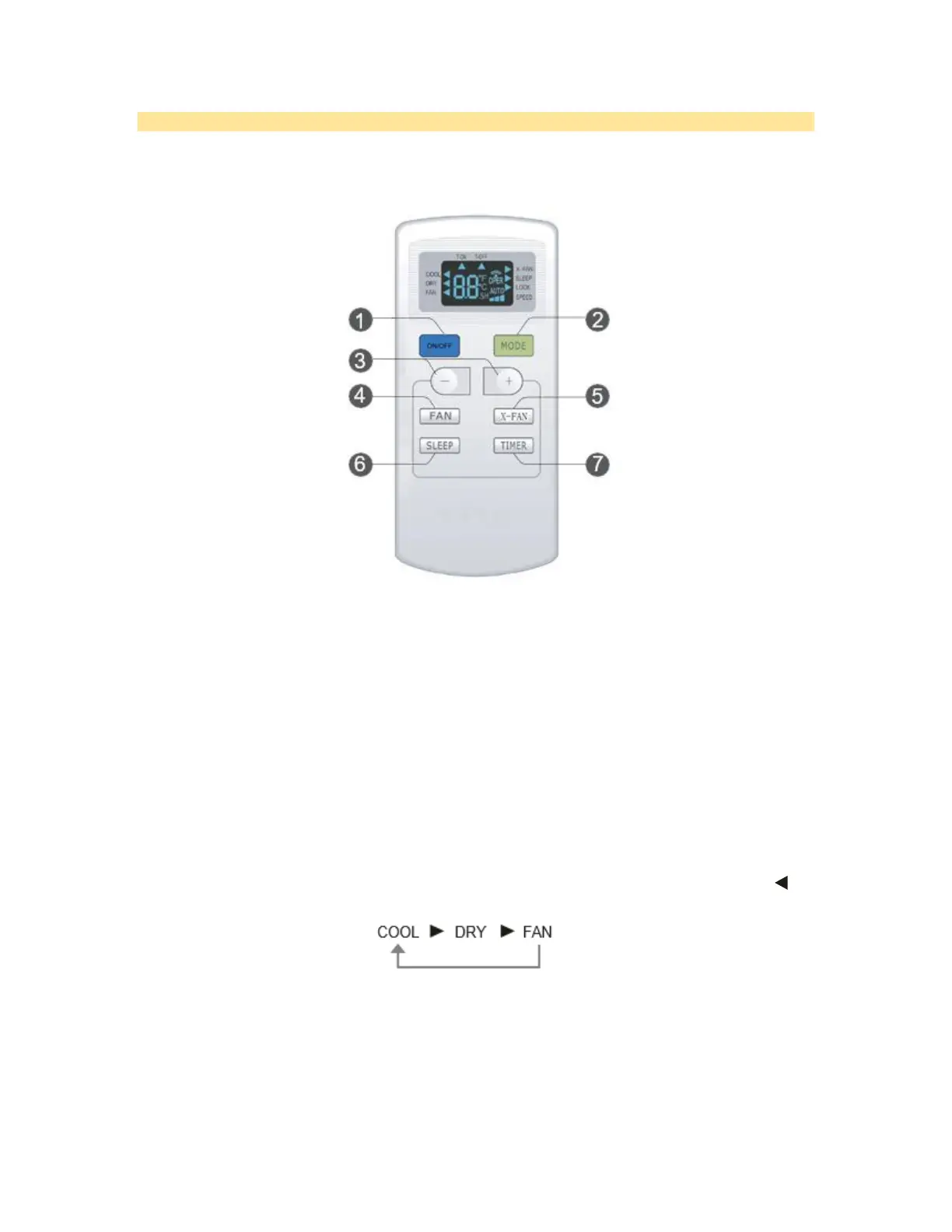
Remote Control
NOTE: This is a general use remote control. Some models do not have all the functions indicated by this
manual. Some models do not have a remote control or have a different remote control.
Instructions for use of remote control:
• The distance between signal sender and receiving window should be no more than 8 m, and there
should be no obstacles between them.
• Replace new batteries of the same model when replacement is required.
• When you don’t use remote control for a long time, please take out the batteries.
1. POWER BUTTON
Press On/Off button to turn on or turn off the unit.
2. MODE BUTTON
Pressing this button once can select your required mode circularly as below (the corresponding icon will
be lit up after the mode is selected):
• When selecting COOL mode, air conditioner will operate under cool mode. Then press + or -
button to adjust set temperature. Press FAN button to adjust fan speed.
• When selecting DRY mode, air conditioner will operate at low fan speed under dry mode. In
dry mode, fan speed can't be adjusted.
• When selecting FAN mode, air conditioner will operate in fan mode only. Then press FAN
button to adjust fan speed.



 To Next Page