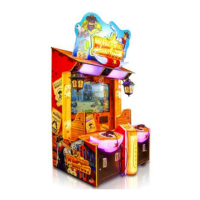
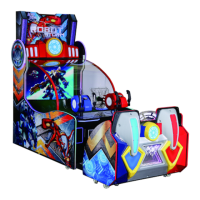
This document is a manual for the "3 Players / 4 Players Laser Shooting Series Machine," specifically using the "Dinosaur Era" machine as an example. It provides comprehensive information on the device's function, technical specifications, usage, and maintenance.
Function Description
The device is an indoor laser shooting redemption machine designed for amusement locations. It offers a novel and beautiful appearance, safe and reliable operation, and aims to be a valuable amusement product with a high coin collecting rate. The game features a large-scale integrated circuit, built-in program, stable and reliable working performance, and a sophisticated and adjustable game program with a win ratio. The game scene is divided into several areas, including City Center, Factory, Cemetery, Pharaoh's Tomb, Hospital, and Overpass, with the story progressing through these locations. Players will encounter various zombies and different attacks, making the game more challenging and engaging. There are also multiple bosses, adding to the game's amusement.
Important Technical Specifications
The manual details specifications for both 4-player (4PL) and 3-player (3PL) versions of the machine.
Power Supply:
- Operating Voltage: AC 220V - 240V, 50/60 Hz or AC110V ±5%, 50/60 Hz.
- Maximum Power:
- 4PL Version: 800W
- 3PL Version: 600W
Dimensions:
- 4PL Version: W184 × D236 × H 253 (cm) or W72.4 × D93 × H99.6 (inch)
- 3PL Version: W140 × D210 × H 216 (cm) or W55.1 × D82.7 × H85 (inch)
Weight:
- 4PL Version: 650Kgs
- 3PL Version: 380Kgs
Operating Environment:
- Temperature (indoors): 0℃~35℃
- Humidity: ≤90%
- Atmospheric pressure: 86Pa~106Pa
Accessories:
The machine comes with several accessories for normal use:
- Cable: 10A/250V-3M (1 Pc)
- Fuse: Φ5×20mm T5A 250VAC (1 Pc)
- Manual: English (1 Pc)
- Key: AA33 (2 Pcs)
- Key: AA32 (2 Pcs)
Usage Features
Moving and Positioning:
- For short distances, raise the foot to make the trundles touch the ground and push the machine.
- For longer distances, it is recommended to unplug the power socket, ensure the cable is not damaged, and have at least two people move the machine to prevent injury.
- To position the machine, place it on a flat ground where it won't slide easily. Loosen the nuts of the foot, tighten the bolts of the foot with a wrench, and keep the trundle approximately 5mm away from the ground. Then, tighten the nuts clockwise and fix them.
Unsuitable Places:
The machine should not be placed in areas with:
- Condensate laser or high humidity.
- High-temperature objects.
- Dangerous substances.
- Smooth or unstable surfaces.
- Equipment that may easily produce sparks.
- Heavy vibration.
- Dusty conditions.
Installation Location Dimension:
The machine requires a game area of 30cm around it for customer safety and enough space for operation. The machine should not be placed on an inclined surface.
Precautions before Startup:
- Verify power supply parameters match machine requirements to prevent damage or fire.
- Avoid excessive loads on power sockets to prevent overheating and fire.
- Do not change or replace parts during assembly to prevent fire or short circuit.
Wiring:
- Connect the cable to the terminal box of the machine and then to the socket.
- Ensure the power supply voltage matches the label to prevent damage.
- Confirm proper grounding to avoid unnecessary damage.
- The working voltage is 220V.
Game Interface and Characteristics:
- The game interface displays the player's status, game props to increase shooting power, and the player's front sight to aim at the target.
- The game features hidden props for powerful damage, various zombies with different attacks, and multiple bosses.
Game Program Setting:
The manual provides detailed instructions for adjusting game settings via a control panel with four keys (KEY1, KEY2, KEY3, KEY4) for navigation and confirmation.
- Basic Setting: Includes Free Play mode, Logo display, Volume adjustment (0%-100%), Demo Audio Volume (0%-100%), Game Coins/Point settings (1-99), Ticket Enable (payout ticket or not), Game Difficulty (Easy, Normal, Difficult), Continue Play Limited Time (5-60 seconds), Score to Ticket (100-30,000 Scores/Ticket), Play Time (100-30,000 Seconds).
- Adjusted Setting: Allows calibration of potentiometers for 1P, 2P, 3P, and 4P players, and adjustment of shooting strength (0-100) for normal and strong shakes.
- Input Test: Tests coin selectors, start buttons, shoot buttons, and potentiometer data for each player.
- Output Test: Tests ticket dispensers, start button lights, gun lights, side lights, center logo light, seat back lights, and marquee lights.
- Game Reset: Options to factory restore all settings, clear all game date records, clear owed tickets, clear unused coins, and clear unused points.
- Date/Time Setting: Allows setting the year, month, day, hour, minute, and second.
Bookkeeping:
The machine records data such as players, tickets, and ticket rate. It also tracks day date, start day, run time, coins, tickets, and ticket rate for overall performance.
Error Codes:
- COM1 ERROR: Indicates communication issues with the I/O Board. Solution: Restart the machine and press the "Reset Button" on the I/O Board.
- Missing Memory: Indicates insufficient RAM. Solution: Move out the RAM from the host and then install it back.
- 1P TICKET ERROR: Indicates a problem with the Ticket Dispenser. Solution: Fill the ticket, or if it still doesn't work, replace the dispenser.
Restoring U Disk:
The system can be restored using a U disk. When the machine is turned off, plug the U disk into the USB port behind the host. The system will restore after the machine restarts, taking approximately 20 minutes. Do not cut off the power supply during this process.
Maintenance Features
Installation and Commissioning:
- Check accessory list before assembly.
- Ensure the ground is flat and solid; adjust feet for horizontal stability.
- After installation, plug in the cable and turn on the machine to check all parts. Turn off immediately if issues arise.
Visual Inspection (before startup):
- Check if warning signs are intact and visible.
- Verify power supply parameters match the machine.
- Ensure all screws and steering wheel components are tight.
- Check for loose connectors and terminals.
- Confirm machine stability and proper adjustment of trundle and top foot.
Operation Inspection:
- Check if the speaker works normally.
- Verify daylight lamp and button lights are on.
- Ensure the image is clear and normal.
General Maintenance:
- Confirm normal operation before use.
- Wipe dirt with a soft cotton cloth and detergent.
- After one month of use, check all parts for normal operation.
- Regularly check the machine.
Cleaning:
- Housing: Clean dirt with a soft cotton cloth.
- Display: Clean the outside with a clean, soft cloth and no water. Avoid acidic substances on the display surface.
- Exhaust Fan: Keep the exhaust fan clean and ensure an unobstructed outlet for proper heat dissipation.
Safety Warnings for Maintenance:
- Cut off power supply: Always cut off power for maintenance and repair to prevent short circuits. If power is required, follow the user's manual.
- Use proper parts: Use only correct replacement parts to avoid short circuits and damage.
- Do not disassemble/assemble/change equipment yourself: This can cause short circuits, machine failure, or fire.
- Do not place objects on the machine: Avoid vases, cups, containers with water, chemicals, or heavy objects to prevent spills, damage, and injury.
- Do not place objects in the air outlet: Blocked outlets can cause overheating, affecting game operation and damaging parts.
- Do not repair the machine yourself: This can lead to short circuits, malfunctions, or other failures.

 Need help?
 General

 To Next Page