Speaker
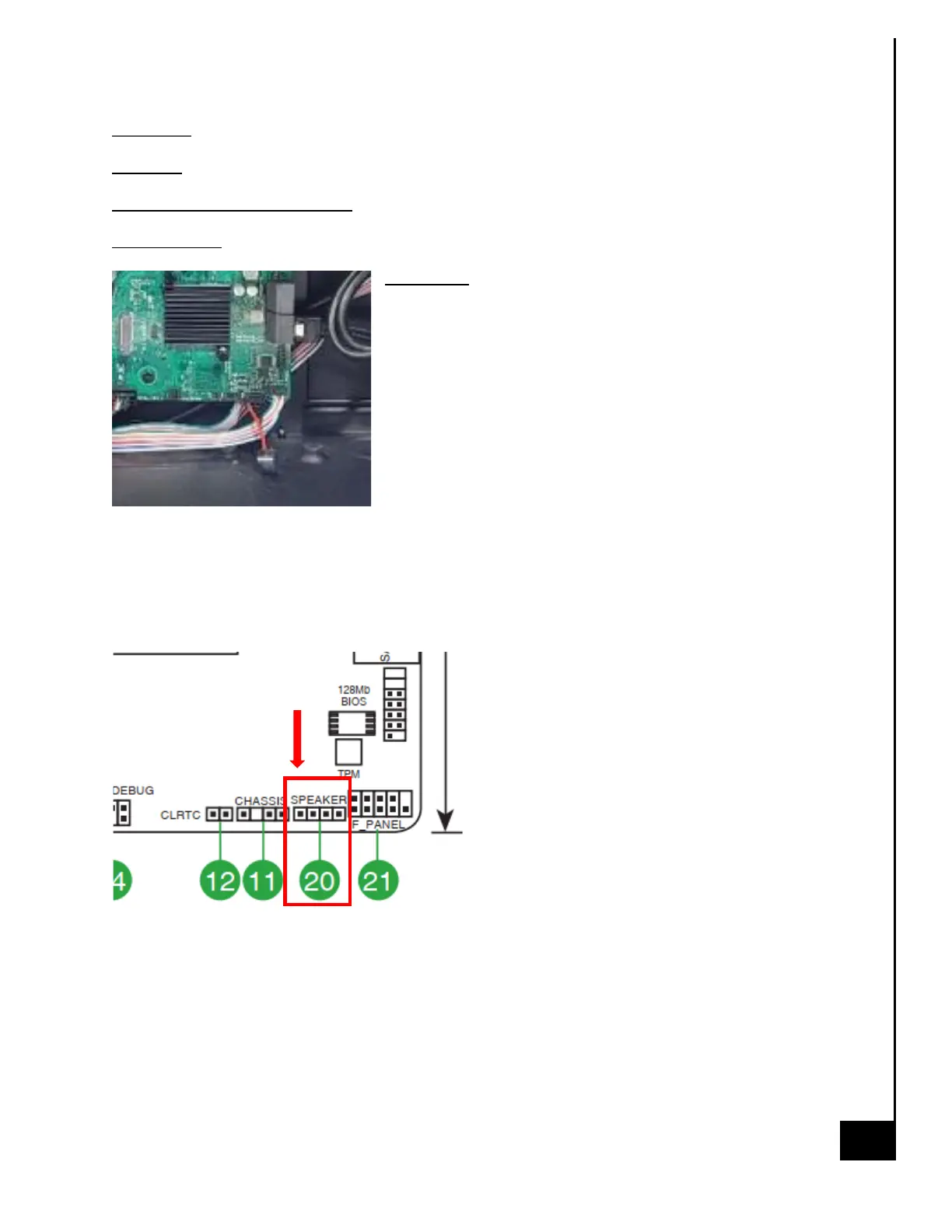
Location: The speaker is located on the motherboard near the bottom right-hand corner.
Type and number of fastenings: 4 pin connectors
Tools required: None
Procedure:
Step 1: Ensure the computer is off, unplugged, and any
potential energy is dissipated.
Step 2: Remove the side panel from the chassis as indicated
in the “Chassis Cover” section of this manual.
Step 3: Locate the speaker and gently but firmly pull away
from motherboard connector.
Reinstallation
Step 4: Locating the speaker header on the motherboard, reinstall the speaker with “RED (+)” on
the speaker aligning with PIN 1 of the speaker header on the MB (see photo below for reference,
location is bottom right-hand corner of MB).



 To Next Page