9. Fan Speed Button:
Press the FAN SPEED button to select the fan speed. In COOL MODE you can choose the
following settings: HIGH, MED, LOW, or AUTO. In FAN MODE you can choose from HIGH,
MED, LOW.
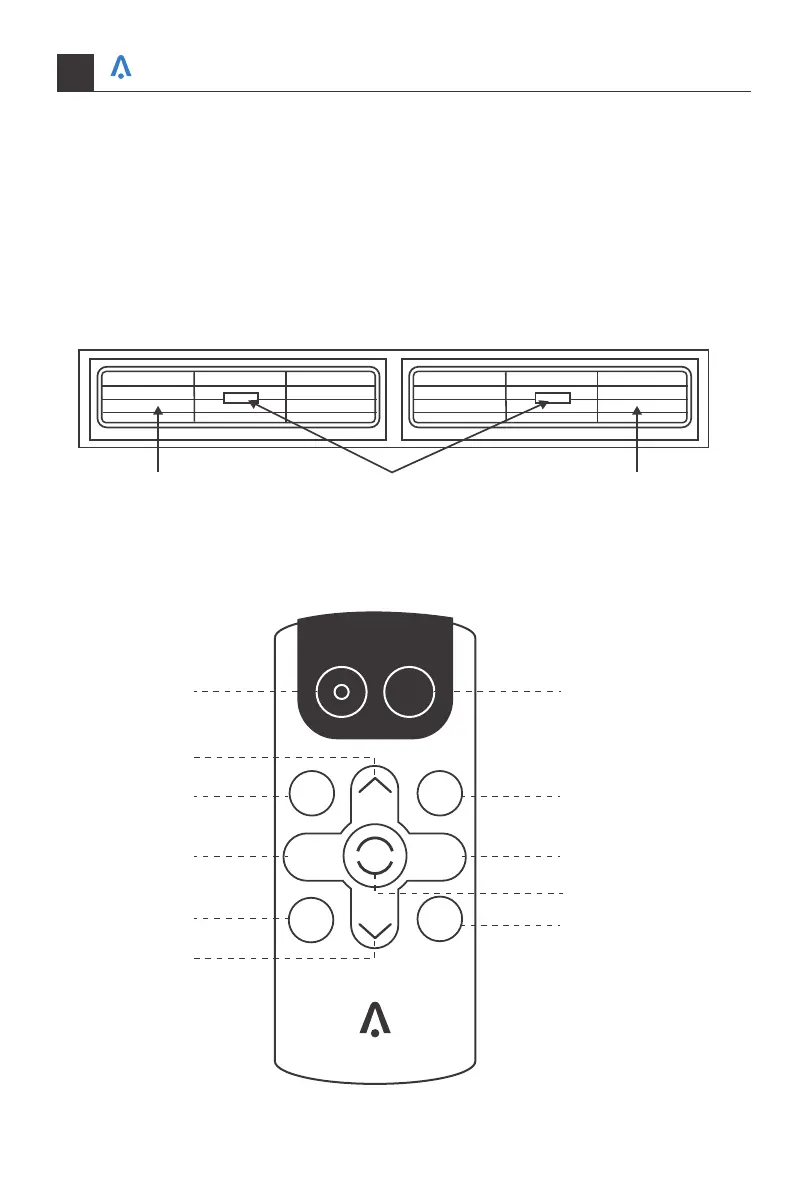
10. Directional Louvers:
Use the horizontal wheels to control horizontal airflow and the air deflectors to control
vertical airflow.
Air Deflector Air DeflectorHorizontal Wheel
REMOTE CONTROL
POWER
SLEEP
FAN
SPEED
FAN
ONLY
AUTO
MODE
DISPLAY
TIMER
ECO
COOL
1
3
3
4 7
8
10
9
2
5
6
Your home in sync
16


 To Next Page