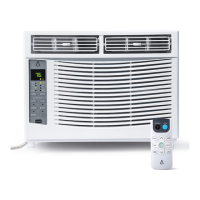
Need help?
Do you have a question about the Acekool CW4 and is the answer not in the manual?
Explains WARNING/CAUTION symbols and initial safety guidelines for operation and installation.
Covers risks like combustible gas, tipping, wet hands, thunderstorms, and electrical safety during operation.
Covers cord safety, cleaning, chemicals, repairs, and general operation rules.
Steps to test the power supply cord's current detection device using TEST/RESET buttons.
Notes on cord detection and specific warnings for R32 refrigerant models.
Room size, ventilation, gas regulations, and certification for R32 refrigerant.
Explains symbols related to flammable refrigerants and their associated risks.
Information on greenhouse gases and explanations of unit symbols.
Guidelines for moving, storing, and disposing of the air conditioner unit.
Procedures and safety checks required for servicing operations.
Fire extinguishers, ignition sources, and ventilation requirements during servicing.
Checks for refrigeration equipment and electrical devices before and during servicing.
Electrical safety checks and procedures for repairing intrinsically safe components.
Cable checks and methods for detecting flammable refrigerants.
Steps for breaking into the circuit, evacuation, and charging the system.
Steps and considerations before decommissioning the air conditioner unit.
Detailed steps for decommissioning and handling refrigerant cylinders safely.
Requirements for labelling de-commissioned equipment and the recovery process.
Lists included items and provides a gentle reminder for initial checks.
Lists suggested tools that are not included with the air conditioner.
Specifies window dimensions and conditions required for installation.
Tips for saving packaging and storing the unit during off-seasons.
Instructions for removing packaging and identifying all air conditioner components.
How to apply foam seals and position the unit in the window.
Importance of tilting the unit for proper condensate and rainwater drainage.
Instructions for attaching side brackets to the window frame using screws.
Securing side panels and sealing gaps between the unit and window with plasticene.
Securing the top rail with a screw and applying optional panel seals.
Attaching the security bracket and filling gaps between window sashes with foam.
Instructions for installing the air conditioner when a storm window is present.
Important safety and procedural points to review before beginning installation.
Safety regarding site, open flames, static electricity, and installation location.
Measures for handling refrigerant leaks and using appropriate leak detection methods.
Description of buttons and display icons on the air conditioner remote control.
Explains the functions of Power, Increase, Decrease, and Swing buttons.
Explains the icons used for different operating modes and fan speeds.
Details on using Power, Temperature, and Swing controls.
How to adjust fan speed and reset the filter reminder indicator.
Details on Cool, Dry, Fan, and Auto modes of operation.
How to use the Timer, Eco, and Sleep modes for energy saving and comfort.
Controlling the unit's display and activating the mute function.
Information regarding the filter reminder function and its purpose.
How the display auto-off and memory functions operate.
Procedure for draining accumulated condensate water from the unit.
Detailed explanation of each button's function on the remote control.
Guide for correctly replacing batteries in the remote control.
Tips for effective remote control use and battery disposal guidelines.
Step-by-step guide for cleaning the air filter of the air conditioner.
Instructions for cleaning the unit's cabinet and for winter storage.
Common causes and solutions for the unit failing to start.
Troubleshooting problems related to insufficient cooling performance.
Diagnosing issues with cooling coils, freezing, and temperature sensors.
Troubleshooting remote control malfunctions and water dripping.
Explanation of normal noises the unit may make during startup.
 General
| Brand | Acekool |
|---|---|
| Model | CW4 |
| Category | Air Conditioner |
| Language | English |


 To Next Page