Using Your Air Conditioner
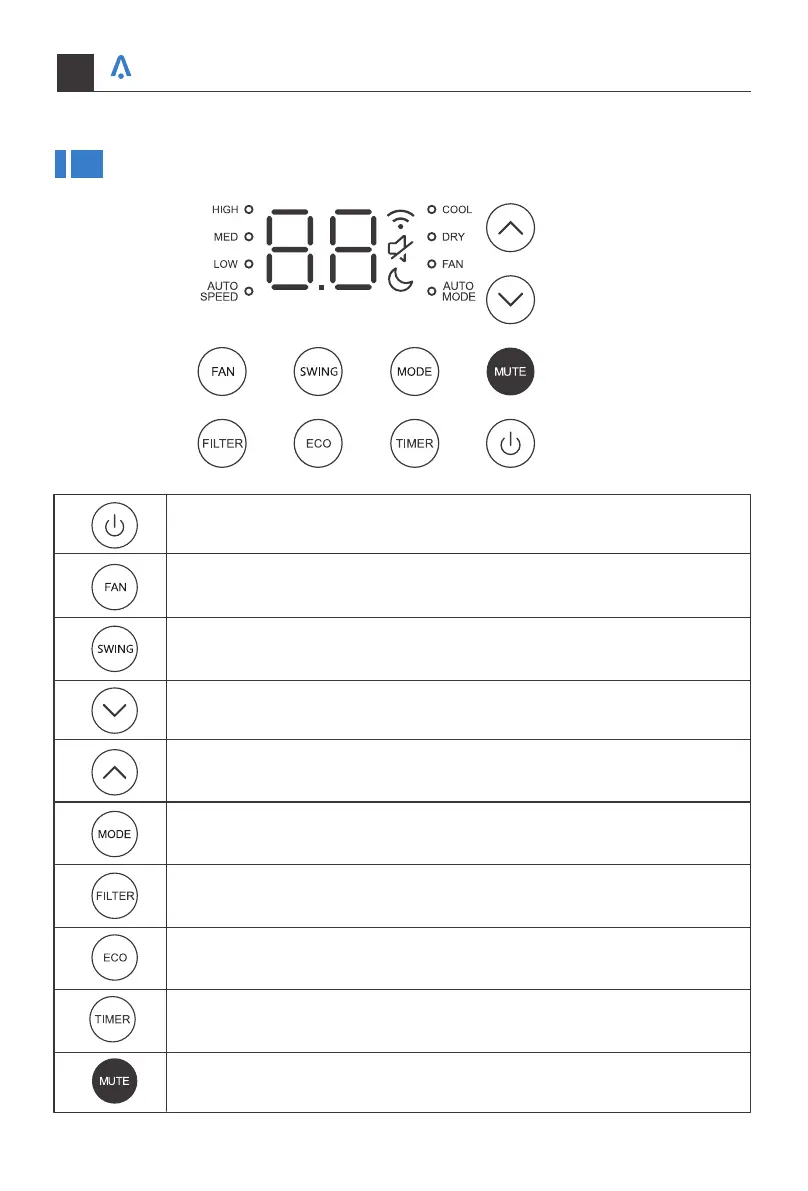
Adjust fan speed (Low, Med, High, Auto)
NOTE: Fan speed setting is available in Auto,Cool, and Fan modes only.
Decrease the air conditioning temperature.
Increase the air conditioning temperature.
Remind to clean the dust filter.
Turn on/off the ECO mode, under Cool/Dry mode.
Timer on or Timer off the unit.
Turn on/off the MUTE mode.
Turn on the air conditioner or switch to standby.
Select to adjust the airflow direction by swinging the louver vertically.
Switch between Cool/Dry/Fan/Auto mode.
Your home in sync
21



 To Next Page