
 Need help?
Do you have a question about the Acepen AP1060 and is the answer not in the manual?
Lists the minimum operating system versions required for Windows, Mac OSX, and Android.
Uninstall previous drivers and close design/anti-virus software before installation.
Download the driver from the website and follow the prompts for installation.
Check driver installation, anti-virus, reinstall driver, or contact support.
Reconnect USB, check LED, try different ports, or reinstall driver.
Install latest driver, add to System Preferences > Security & Privacy > Input Monitoring/Accessibility.
Use Control Panel to uninstall the 'Pen Tablet' program and clean up files.
Use Finder to uninstall 'Pen TabletDriver' and check Activity Monitor.
 General
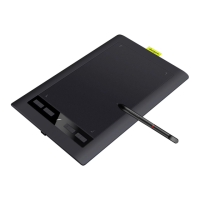
| Active Area | 10 x 6.25 inches |
|---|---|
| Pressure Sensitivity | 8192 levels |
| Report Rate | 266 RPS |
| Pen Type | Battery-free stylus |
| Compatibility | Windows, macOS, Android |
| Connection | USB-C |
| Resolution | 5080 LPI |
| Accuracy | ±0.5 mm |
| Express Keys | 8 customizable keys |
| Pen Technology | Electromagnetic Resonance |
| Reading Height | 10 mm |
| Operating System Compatibility | Windows 7 or later, macOS 10.12 or later, Android 6.0 or later |
| Tilt | ±60 degrees |

 To Next Page