Graphic Tablet Installation
1
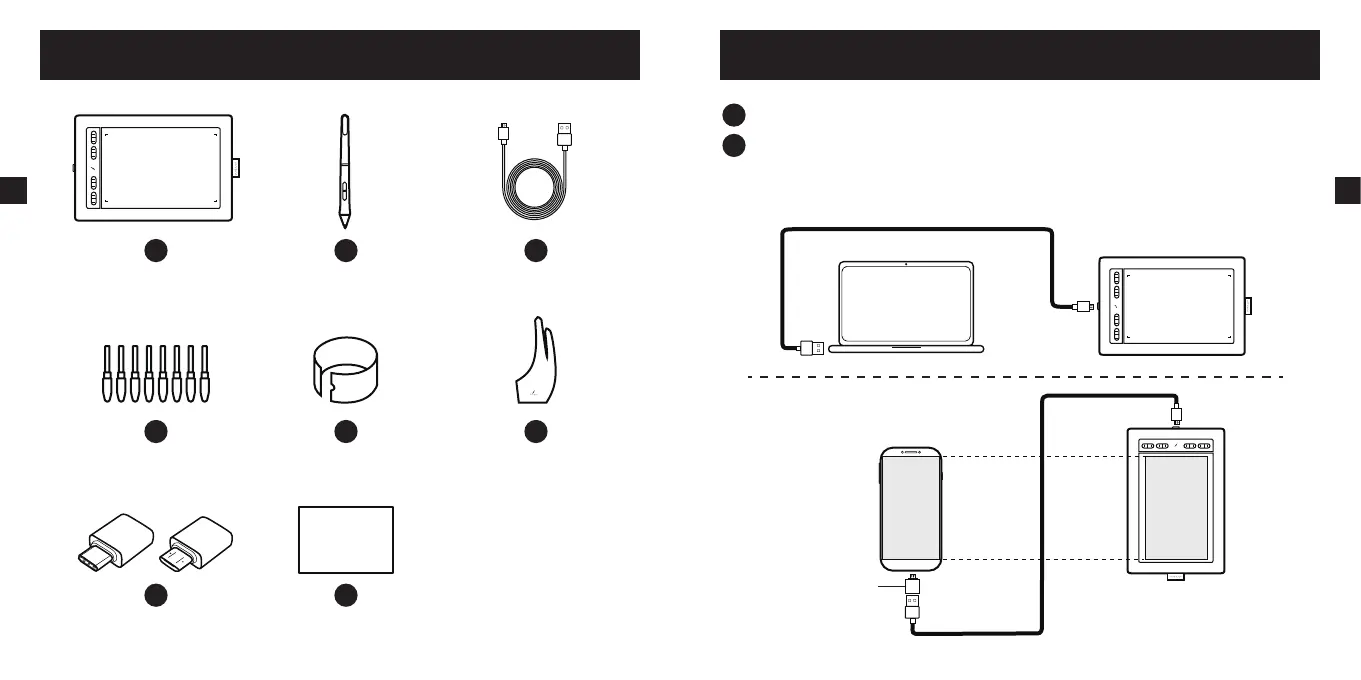
Connect the Micro-USB end to the port on your AP1060.
2
Connect the USB end of the data cable to your computer interface.
Connect the USB end of the data cable to the OTG adapter and then to the interface of
your Android phone or tablet.
OTG Adapter
3
EN
Quick Start Guide
1
AP1060
2
P03
3
USB Cable
4
Replacement Nibs x 8
5
Nib Clip
6
Glove
7
OTG Adapter(Type-C & Micro)
8
Quick Start Guide
9
Product and Accessories
2
EN


 To Next Page