38
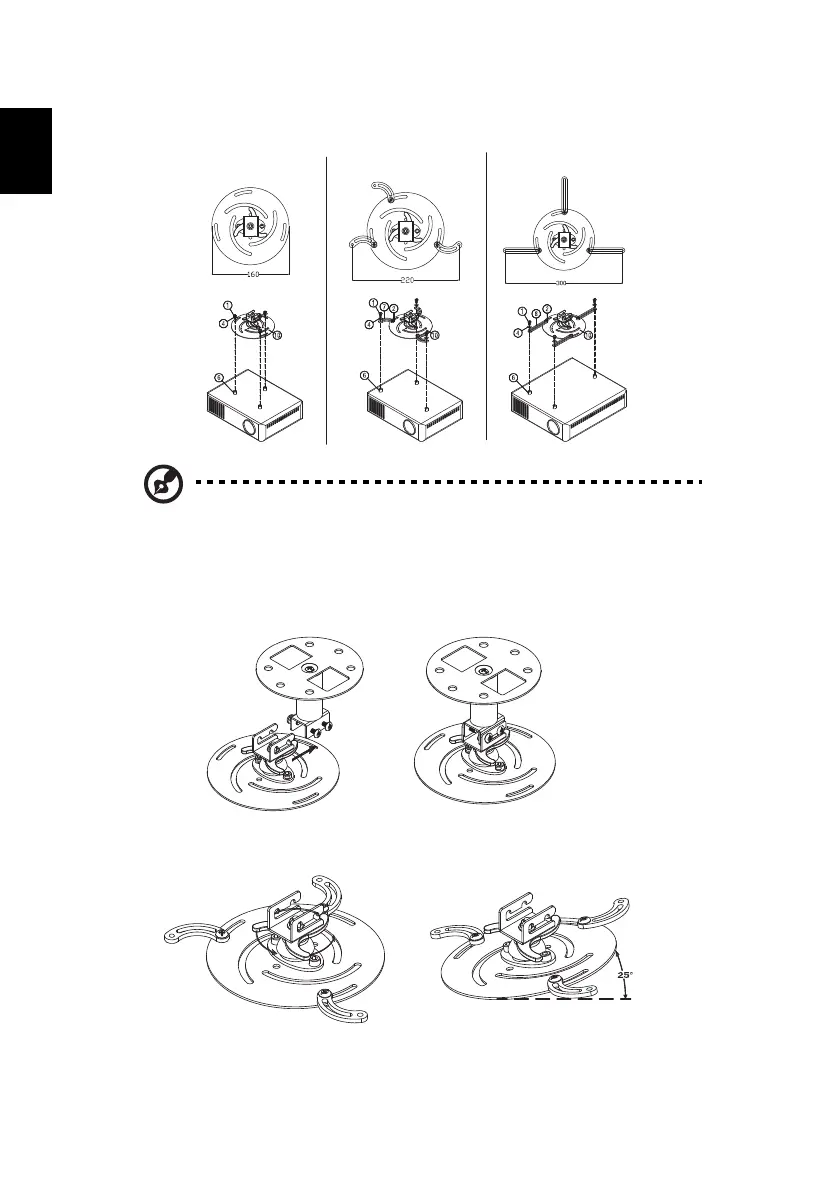
Type 2 and Type 3: Alternatively, for the larger size, use the sliding
extensions for more supports.
Note: It is recommended that you keep a reasonable space
between the bracket and the projector to allow for proper heat
distribution.
4 Connect the main body connector to the projector bracket (illustration 1),
and then screw up four screws (illustration 2).
5 Adjust the angle and positioning as necessary.
Illustration 1
Illustration 2



 To Next Page