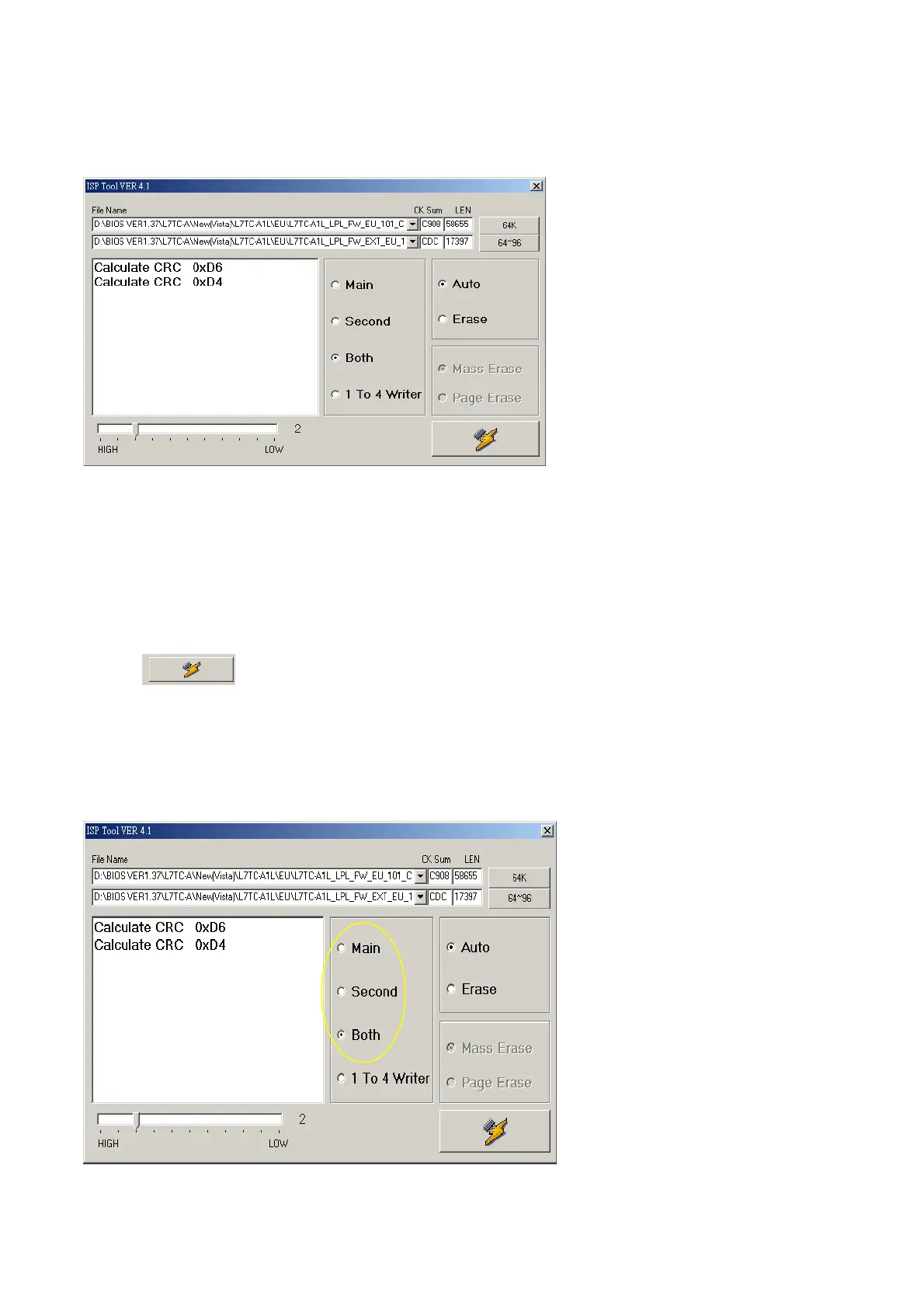
AUTO acts as the pc writing automatically.
Erase acts as procedure erased the former bios of monitor.
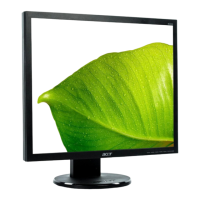
When write PCBANK(WDZV-W1) model bios, use the two files, setup file properties as fellow:
1. Within 64K option, choose no Extend bios file;
2. Within 64K~~96K option, choose the Extend bios file;
3. Choose “Both” property;
4. Choose “auto”;
5. Click , go to write.
Notice: The distinction ”64K” and “64-96K” is from BIOS file name.
64K: WDZV-W1_SAM_FW_V100_0x90_061907
64-96K: WDZV-W1_SAM_FW_V100_0x89_Extend_061907


 To Next Page