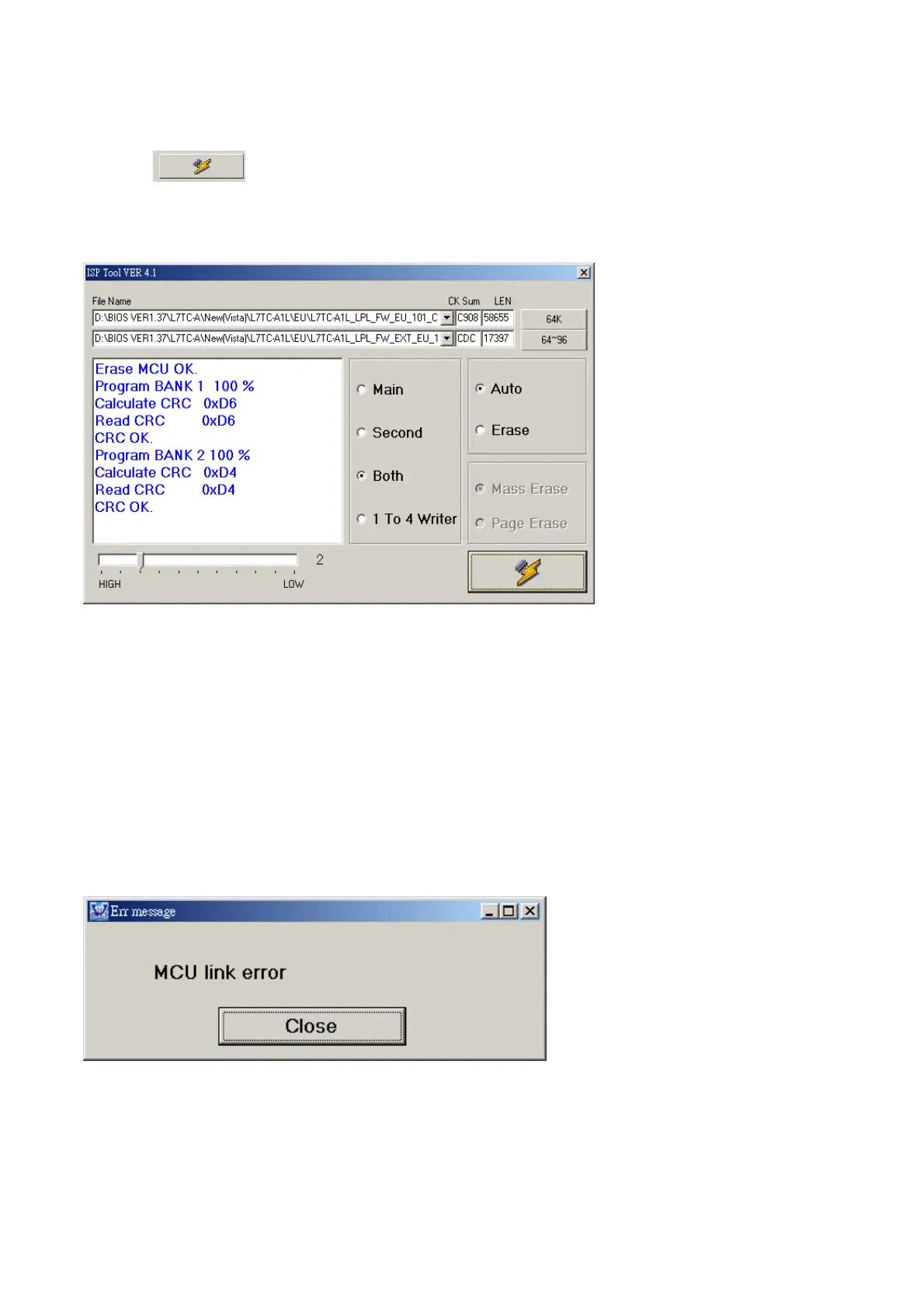
Click , go to writing, it is necessary for writing to turn on monitor .
During writing, can’t cut off electricity, and VGA cord can’t fall off.
After writing OK, will display “CRC OK”.
Notices:
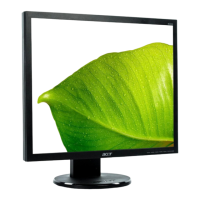
Writing is not going, will come out the right message “MCU link error”.
Analysis:
Check:
1. If connect to writing card and writing cords is ok or all tool are ok?
2. If monitor is “on” state (can’t into factory state, please retry again)
3. If cords connections is ok?
4. If PC LPL is ok?
5. Monitor of main board is gook?


 To Next Page