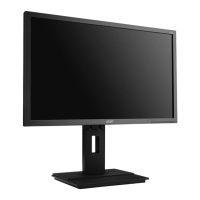
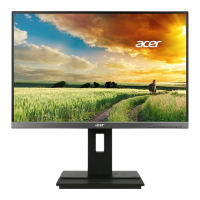
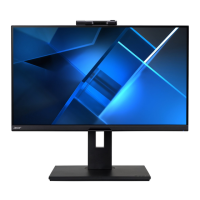
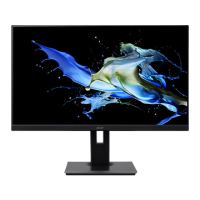
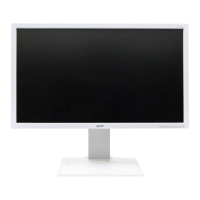
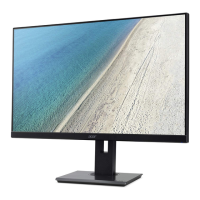
This document serves as a Lifecycle Extension Guide for the Acer Monitor B246HL, providing comprehensive instructions for its disassembly, assembly, and troubleshooting, aimed at extending the product's lifespan through proper maintenance and repair. It emphasizes safety precautions and the use of appropriate tools and parts to ensure reliable operation and compliance with environmental standards.
The guide begins by outlining important safety notices, highlighting the product's adherence to RoHS Directive and Lead-Free production definitions. It stresses the importance of using only approved critical components for replacements and warns against unauthorized modifications. Service providers are advised to familiarize themselves with the manual's notices to minimize personal injury risks during service procedures and to prevent damage to the equipment. It recommends that service engineers possess adequate knowledge, experience, and product-specific training before performing any repairs. Key safety warnings include disconnecting the AC power cord before any internal work, avoiding exposure to water or high humidity, and using only original manufacturer's specified parts for continued reliability. Specific instructions are given for placing replaced parts on the components side of the PWBA (Printed Wiring Board Assembly), using proper screwdrivers with specified torque and force, and utilizing Lead-Free solder with a fusion point of 220°C.
The guide then presents an exploded diagram of the Acer Monitor B246HL, detailing its various components and their respective ODM (Original Design Manufacturer) descriptions. This visual aid is crucial for identifying parts during disassembly and assembly processes. Following this, wiring connectivity diagrams are provided for different SKUs (Stock Keeping Units) of the B246HL model, categorizing them based on the presence or absence of USB, HDMI, and DisplayPort (DP) connections. These diagrams illustrate the precise routing of wires such as SPK (Speaker) wire, LVDS (Low-Voltage Differential Signaling) cable, INF BD-PWR-BD (Interface Board-Power Board) wire, CTRL-BD FFC (Control Board Flexible Flat Cable), USB BD-INF BD (USB Board-Interface Board) wire, and audio cables. Users are instructed to refer to the diagram corresponding to their specific SKU to ensure correct wiring during service.
Mechanical instructions detail the tools required for disassembling the product to a point where components and materials needing selective treatment can be removed. The list of tools includes a working table, Philips-head and Hex-head screwdrivers, a knife, gloves, a cleaning cloth, and ESD (Electrostatic Discharge) protection.
The core of the guide lies in its detailed Disassembly and Assembly SOP (Standard Operating Procedure) for the B246HL. Before any procedure, preparation steps are outlined, including cleaning the workspace, identifying the monitor area, checking monitor quantity, and preparing all necessary implements and materials. A critical warning is issued regarding the power board, which may retain energy even after unplugging the power cord, emphasizing the need for caution during disassembly and assembly.
The disassembly process is broken down into several steps:
S1: Disassembling the RC (Rear Case), stand, and base by unlocking screws and separating them from the monitor.
S2: Disassembling the SHD (Shielding) by tearing off AL-Tape and unlocking hexagonal and DP screws.
S3: Disassembling the lamp wire by tearing off its tape and extracting the connector from the P/BD (Power Board).
S4: Disassembling the USB SIDE BD (Board) (applicable only for SKUs with USB) by tearing off Mylar, disconnecting USB-FFC, unlocking screws, and removing the gasket.
S5: Disassembling the LVDS CABLE and CTRL BD by tearing off tape, pulling out the FFC, and separating the CTRL BD.
S6: Disassembling the MF (Main Frame) from the panel by tearing off tapes and removing the panel and CTRL BD.
S7-1: Disassembling the I/F BD (Interface Board), P/BD, and SPK from the SHD by unlocking screws, extracting wires and FFC LVDS, and separating components.
S7-2: Disassembling the USD BD (USB Board), I/F BD, P/BD, and SPK from the SHD (applicable only for SKUs with USB) by unlocking screws, extracting wires, and separating components. A crucial note highlights circuit boards larger than 10 cm² with yellow rectangles, advising users to detach them and follow local regulations for disposal.
The assembly process mirrors the disassembly in reverse, ensuring proper re-integration of components:
S1-1: Assembling the MAIN board, power board, and SPK by inserting FFC, DP-Wire, Power BD-Wire, and SPK-Wire, placing I/F BD and Power BD onto the main SHD, locking screws, and applying Mylar.
S1-2: Assembling the MAIN board, power board, USB board, and SPK (applicable only for SKUs with USB) by inserting FFC, USB-I/F BD wire, DP-Wire, Power BD-Wire, and SPK-Wire, placing I/F BD, Power BD, and USB BD onto the main SHD, locking screws, and applying Mylar.
S2: Assembling the ASSY TRIM by inserting C/B-FFC, placing the panel on the BZL (Bezel), sticking Mylar, and inserting C/B-FFC to the PCBA.
S3: Assembling the lamp wire by inserting its connector to the P/BD and securing it with tape.
S4: Assembling the LVDS cable by inserting it to the Panel and securing it with tape.
S5: Assembling the SHD by locking hexagonal and DP screws.
S6: Assembling the USB SIDE BD on MF (applicable only for SKUs with USB) by sticking a gasket, assembling USB-FFC to the USB SIDE BD, assembling USB-BD on MF, locking screws, inserting USB-FFC into USB-BD, sticking USB-FFC on the panel, and affixing Mylar.
S7: Assembling the RC, stand, and base by screwing the RC and attaching the stand and base to the monitor.
A troubleshooting section is included for both VGA and HDMI/DP modes, listing common problems, their current statuses, and suggested remedies. For "No Picture" issues, remedies include adjusting brightness/contrast via OSD (On-Screen Display), checking power switch/cord connections, verifying video signal cable connections, and ensuring the computer system is on. For "Abnormal Picture" (missing, shifted, or incorrect size display), solutions involve adjusting OSD settings like RESOLUTION, CLOCK, CLOCK-PHASE, H-POSITION, V-POSITION, and selecting appropriate resolutions or refresh timings. For "Abnormal Sound" (no sound or low level), remedies suggest checking audio cable connections and adjusting the host PC's volume.
Finally, a FRU (Field Replaceable Unit) List is provided, detailing the Acer B246HL's components, their descriptions, and part numbers. This list is essential for ordering replacement parts for repair or RMA (Return Merchandise Authorization). It advises users to check the most up-to-date information on regional web or channel resources, as part numbers may change and local service providers might have different codes. It also emphasizes following local government ordinances and regional office rules for disposing of or returning defective parts. The FRU list includes categories such as LCD (LED LCD Panel AUO 24'H FHD None Glare M240HTN01.2 0A-S11 LF 250nit 5ms 1000:1) and various BOARDs (MAIN BD DP+S AUO, POWER BD, CONTROL BOARD) with their respective PCBA (Printed Circuit Board Assembly) descriptions and part numbers.


 To Next Page
 General
 Weight and Dimensions