EN-16
Adjusting the OSD position
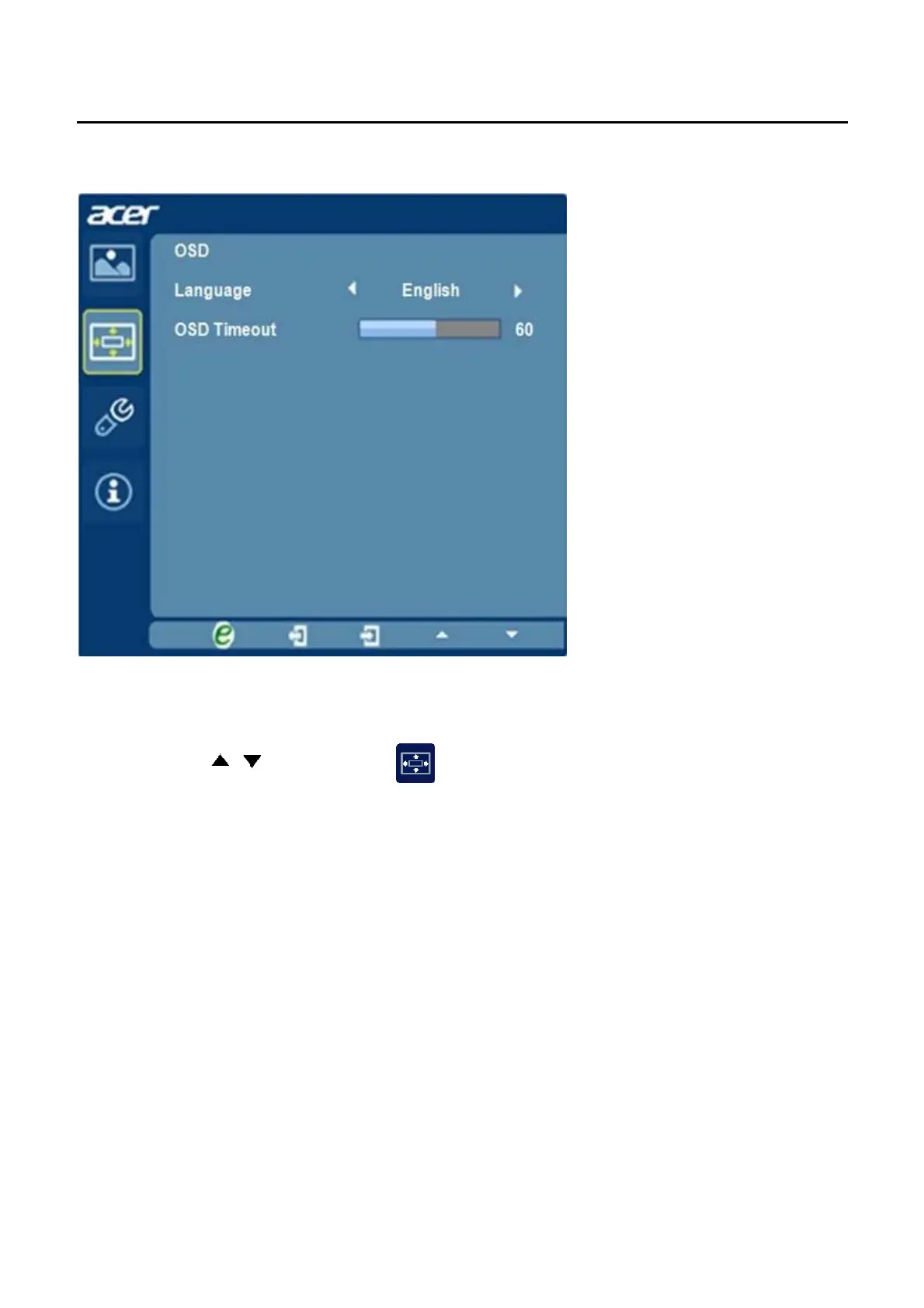
1 Press the MENU key to bring up the OSD.
OSD from the on screen display.
Then navigate to the feature you wish to adjust.
3 The Setting menu can be used to adjust the screen Menu Language and
other important settings.
2 Using the keys, select
/


 To Next Page