22
Receiving MMS messages
When a new MMS message arrives, a message icon appears at the top of the
screen and a notification message is displayed.
1. Open Messaging to view a summar
y of the message.
2. Tap Do
wnload to download the message content.
Note: Downloads can take a long time, depending on your connection quality. If you
reply or open another application, the download will be stopped.
Important: You may be charged to download message content, especially if you are
roaming. Please contact your provider if you have any questions.
3. Tap the message to view the content.
4. Press the Menu button and tap Re
ply. Enter your
text in the text box labeled Type to compose and
tap Send. Simple text replies will be sent as SMS
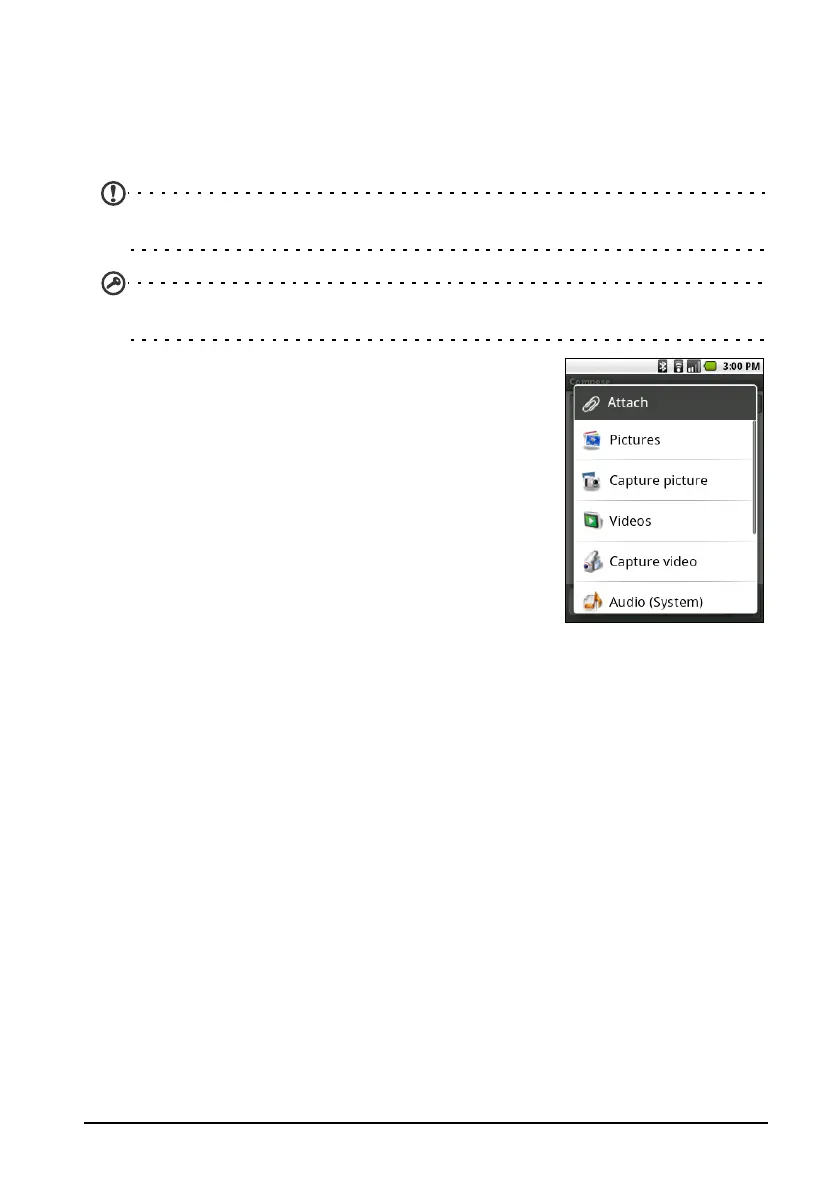
messages. If you wish to attach a file, press the
Menu button and tap Attach. You will be
presented with a menu of options.
5. When you have finished composing the
message,
press the Menu button and tap Send.


 To Next Page