10
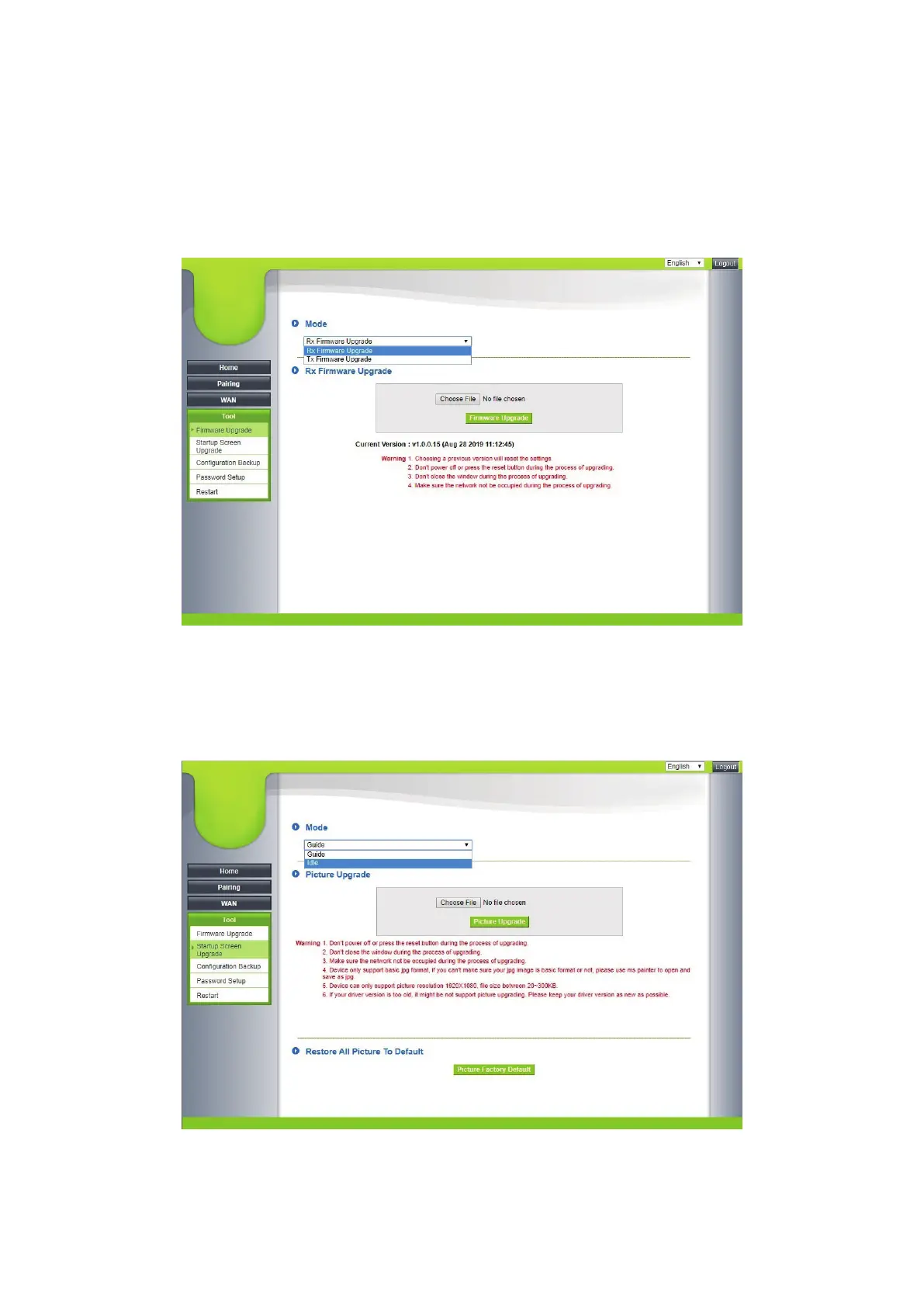
5.3 Firmware Updates
Before any firmware update, please acquire instructions for the upgrade on
the official website. Download and install the latest firmware.
5.3.1 You can select between Receiver Firmware Update or Transmitter
Firmware Update. Click on Select File and select the file to upgrade.
5.4 Start Image
This function is available to replace the factory Guide and Idle images, click
to select the file as well as the file to be replaced.


 To Next Page