Need help?
Do you have a question about the Acer CP3271KP and is the answer not in the manual?
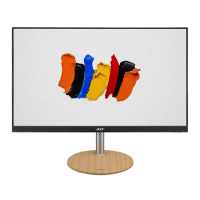
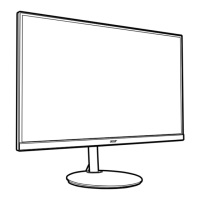
This document provides a quick start guide for the Acer LCD Monitor, outlining important safety instructions, connection procedures, external controls, regulations, safety notices, and disposal information.
The Acer LCD Monitor is designed for video and visual display of information from electronic devices. It features AdaptiveSync technology, which allows a supported graphics source to dynamically adjust the display refresh rate. This results in power-efficient, virtually stutter-free, and low-latency display updates, enhancing the overall viewing experience.
Connecting to a Computer: To connect the monitor to a computer, first ensure the computer is turned off and its power cord is unplugged. Then, connect the signal cable to the HDMI (optional) and/or DP (optional) input socket on the monitor and the corresponding output socket on the computer's graphics card. If available, connect the USB cable for fast charging. Finally, insert the monitor power cable into the power port at the back of the monitor, connect the power adapter and power cord to the monitor, and plug it into a properly grounded AC outlet. Audio output is available for models that support it.
External Controls: The monitor features several external controls for easy operation:
AdaptiveSync: This feature dynamically adjusts the display refresh rate based on content frame rates, providing a smoother visual experience with reduced stutter and lower latency.
Cleaning the LCD Monitor Screen: To clean the LCD monitor screen, first turn off the monitor and unplug its power cord. Then, spray a non-solvent cleaning solution onto a rag and gently wipe the screen. Avoid spraying the solution directly onto the screen.
Safety and Storage Guidelines:
Troubleshooting and Professional Assistance: Immediately unplug your monitor and contact an authorized technician if any of the following occurs:
Regulatory Compliance: The device complies with FCC rules for Class B digital devices, designed to provide reasonable protection against harmful interference in a residential installation. It also adheres to CE declaration of conformity, meeting essential requirements of EMC Directive 2014/30/EU, Low Voltage Directive 2014/35/EU, RoHS Directive 2011/65/EU, and Ecodesign Directive 2009/125/EC.
Shielded Cables: All connections to other computing devices must use shielded cables to maintain compliance with EMC regulations.
Peripheral Devices: Only peripherals (input/output devices, terminals, printers, etc.) certified to comply with Class B limits should be attached to this equipment. Using non-certified peripherals may cause interference to radio and TV reception.
Disposal of Waste Equipment: The symbol on the product or packaging indicates that the product should not be disposed of with other household waste. Instead, it is the user's responsibility to hand over waste equipment to a designated collection point for the recycling of waste electrical and electronic equipment. This ensures proper recycling, conserves natural resources, and protects human health and the environment. For more information, contact your local city office, household waste disposal service, or the shop where the product was purchased.
 General
| Screen Size | 27 inches |
|---|---|
| Resolution | 3840 x 2160 (4K UHD) |
| Panel Type | IPS |
| Refresh Rate | 60 Hz |
| Contrast Ratio | 1000:1 |
| Aspect Ratio | 16:9 |
| Viewing Angle | 178° (H) / 178° (V) |
| VESA Mount | 100 x 100 mm |
| Response Time | 4 ms |
| Ports | 2 x HDMI, 1 x DisplayPort, 4 x USB 3.0 |


 To Next Page