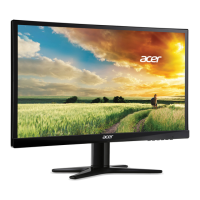
Need help?
Do you have a question about the Acer G227HQL and is the answer not in the manual?
Read and follow all safety warnings and instructions provided in the manual.
Essential warnings regarding product usage, placement, and potential hazards to prevent damage or injury.
Guidance on safe electrical connections, grounding, and power cord usage.
Instructions on when to seek qualified service personnel for product issues.
Safety advice for using the device in areas with potentially explosive atmospheres.
Suggestions on how to reduce eyestrain during prolonged monitor use.
Adjust general settings like aspect ratio, OSD language, and input.
List of common problems and their remedies for self-diagnosis.
Detailed steps for connecting VGA, DVI, or HDMI video cables.
Troubleshooting common problems when using VGA connection.
Troubleshooting common problems when using DVI or HDMI connections.
 General
| 3D | No |
|---|---|
| Aspect ratio | 16:9 |
| Response time | 6 ms |
| Display surface | - |
| Display diagonal | 21.5 \ |
| Contrast ratio (dynamic) | 100000000:1 |
| Display number of colors | 16.78 million colors |
| Display brightness (typical) | 250 cd/m² |
| Supported graphics resolutions | 1920 x 1080 (HD 1080) |
| HDCP | Yes |
| USB Type-A downstream ports quantity | 0 |
| Product color | Black |
| Panel mounting interface | - mm |
| AC input voltage | 110 - 220 V |
| Power consumption (off) | 0.45 W |
| Power consumption (standby) | 0.49 W |
| Power consumption (typical) | 25 W |
| Cables included | AC, VGA |
 Weight and Dimensions
| Depth (with stand) | 185 mm |
|---|---|
| Width (with stand) | 499 mm |
| Height (with stand) | 357 mm |
| Weight (without stand) | - g |

 To Next Page