1-8 Disassembly Procedures
Battery Removal
Prerequisite:
Lower Case Removal on page 1-6
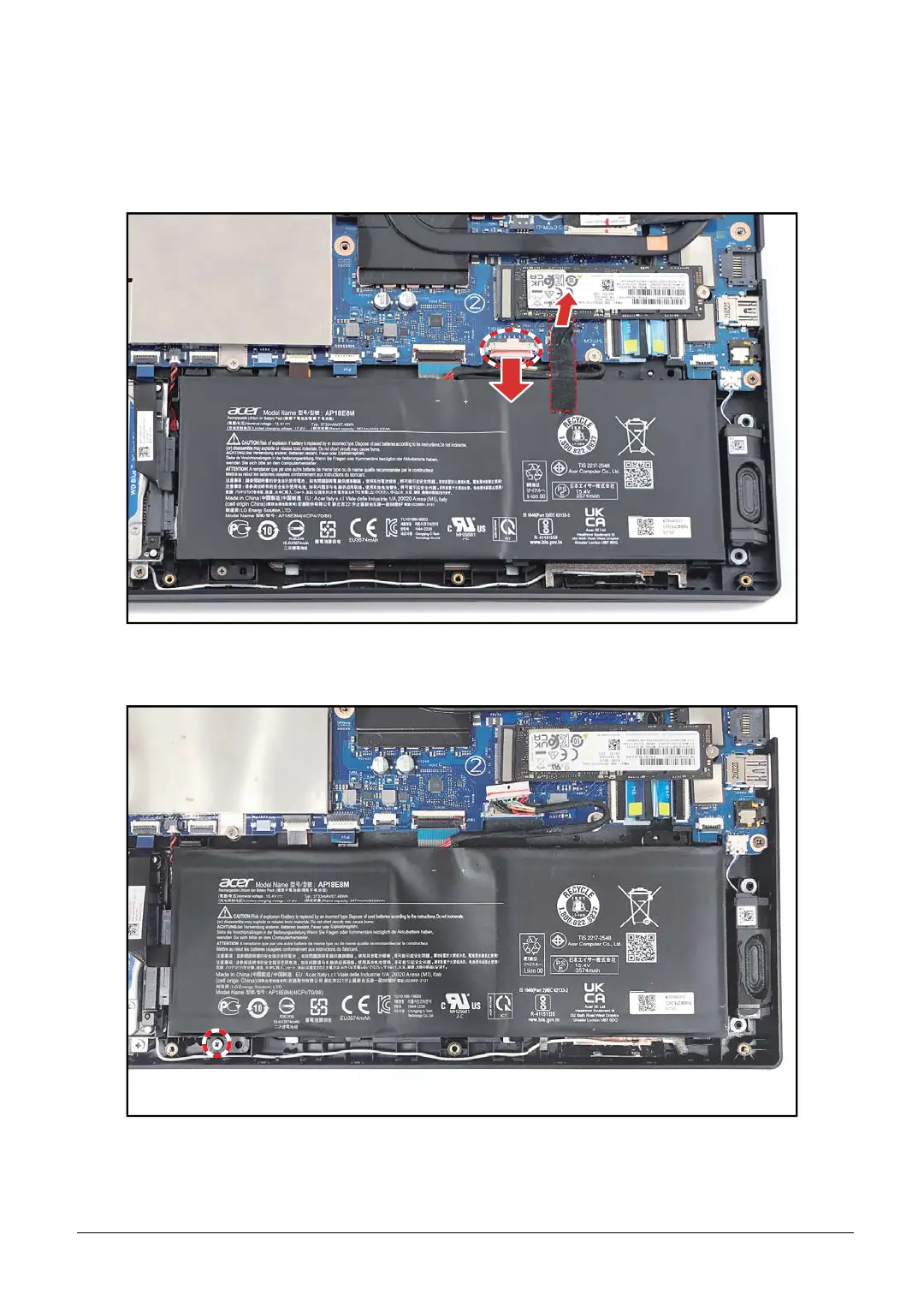
1. Detach the tape and disconnect the battery cable from the mainboard connector.
Figure 1-6. Disconnecting the Battery Cable
2. Remove the screw securing the battery to the upper case.
Figure 1-7. Removing the Screw










 To Next Page