
 Need help?
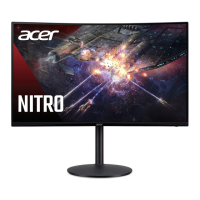
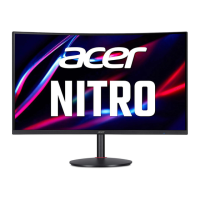
Do you have a question about the Acer NITRO XZ322QU and is the answer not in the manual?
Read and follow all warnings and instructions marked on the product.
Follow guidelines carefully for cleaning: unplug first, use a soft cloth.
Observe guidelines for connecting/disconnecting power to the monitor.
Connect HDMI/DP cables, power adapter, and power cord to set up.
Use the joystick to turn the monitor on/off and navigate OSD menu.
Use the joystick to navigate and control the OSD menu settings.
Diagnose and resolve issues like 'No picture visible' with LED status guidance.
 General
| Screen Size | 31.5 inches |
|---|---|
| Resolution | 2560 x 1440 (QHD) |
| Refresh Rate | 165 Hz |
| Panel Type | VA |
| Aspect Ratio | 16:9 |
| Response Time | 1 ms (VRB) |
| Contrast Ratio | 3000:1 |
| Curvature | 1500R |
| Adaptive Sync | AMD FreeSync Premium |
| Viewing Angle | 178° (H) / 178° (V) |
| Color Gamut | 90% DCI-P3 |
| VESA Mount | 100 x 100 mm |
| Ports | 2 x HDMI, 1 x DisplayPort |




 To Next Page