Your Acer notebook tour - 13
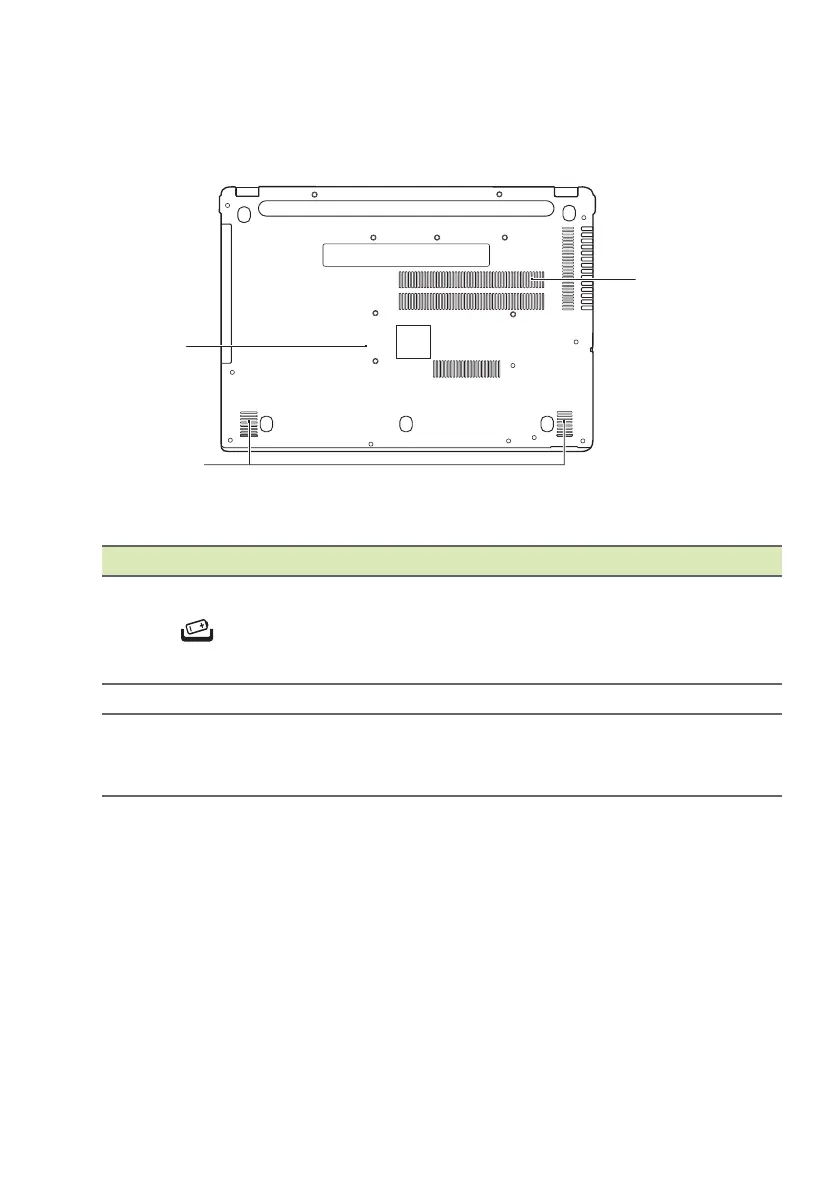
Base view
# Icon Item Description
1
Battery reset
pinhole
Simulates removing and reinstalling
the bat
tery.
Insert a paperclip into the hole and
press for fo
ur seconds.
2 Speakers Deliver stereo audio output.
3
Ventilation and
cooling fa
n
Allows the computer to stay cool.
Do not cover or obstruct the
openings.







 To Next Page