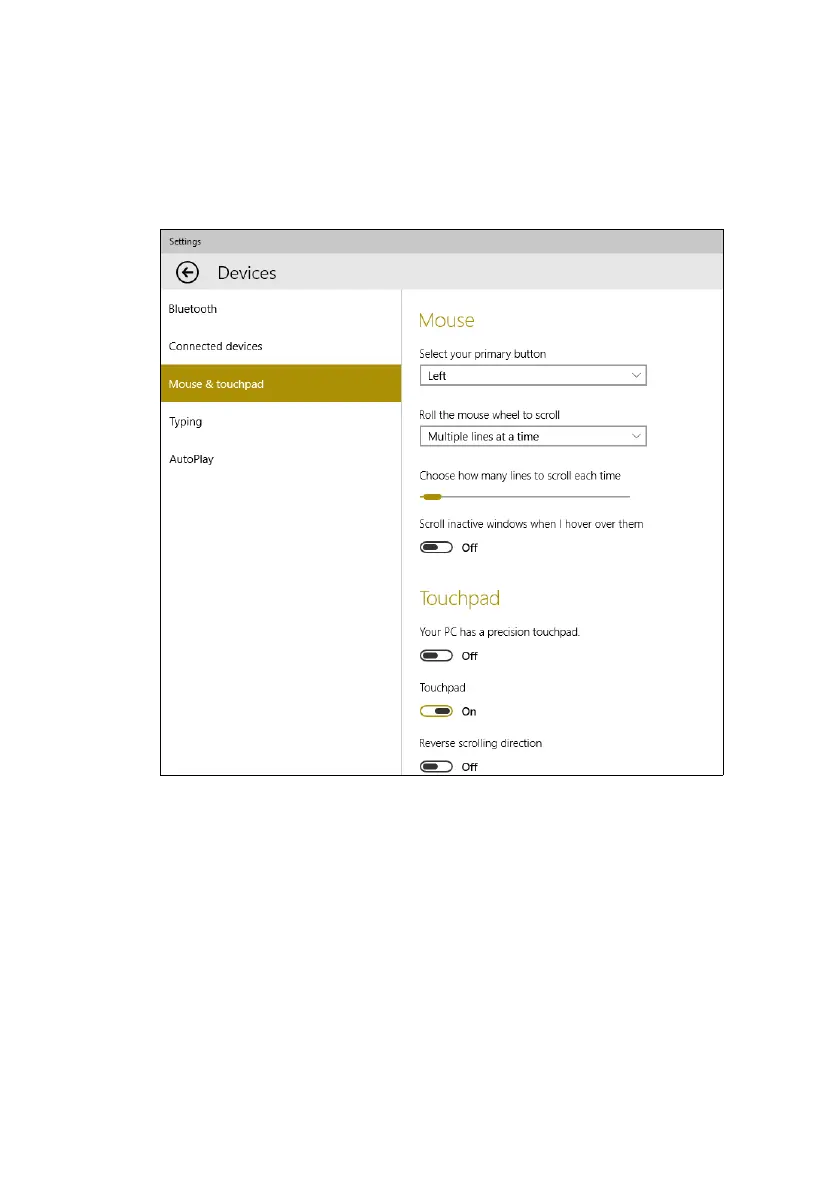
Using the Precision Touchpad - 19
4. Now you can adjust the settings to suit your personal needs. You
can change the primary button for left- or right-handed use, turn the
touchpad off if you prefer to use a mouse, or set a delay to prevent
the cursor moving if you accidentally tap the touchpad with your
palm while working. Scroll down to see more settings.









 To Next Page