EasyManua.ls Logo

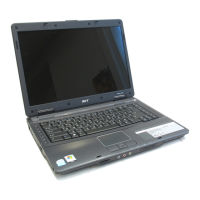
Acer TravelMate 4220 - User Manual

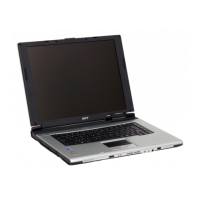
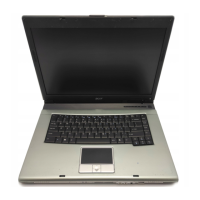
Acer TravelMate 4220
129 pages
Print Icon
To Next Page IconTo Next Page
Loading...
TravelMate4220/2480 & Aspire5600
Service Guide
PRINTED IN TAIWAN
Service guide files and updates are available
on the AIPG/CSD web; for more information,
please refer to http://csd.acer.com.tw

Table of Contents

Questions and Answers

  • J
    james80Jul 31, 2025
    Why does my Acer Laptop keyboard not work or show unexpected characters?
    • M
      Michelle Stephens MDJul 31, 2025
      If the internal keyboard of your Acer Laptop is not working or displaying unexpected characters, ensure the flexible cable extending from the keyboard is correctly seated in the connector on the system board. You can also try reconnecting the keyboard cables. If the issue persists, consider replacing the keyboard or the main board.
  • M
    Mary WilsonAug 10, 2025
    What to do if my Acer TravelMate 4220 Laptop shows memory errors?
    • B
      Bruce KelleyAug 10, 2025
      If memory errors occur on your Acer Laptop, potentially stopping system operations, showing error messages, or hanging the system, ensure that the DIMM is fully installed into the connector. A loose connection can cause an error. You may also boot from the diagnostics diskette to start the diagnostics program, go to the diagnostic memory in the test items, press F2 in the test items, and follow the instructions in the message window.
  • R
    rgarzaAug 20, 2025
    What to do if an error occurs with the internal diskette drive of Acer TravelMate 4220?
    • J
      Jennifer DuranAug 20, 2025
      If an error occurs with the internal diskette drive on your Acer Laptop, try reconnecting the diskette connector on the system board and reconnecting the external diskette drive/DVD-ROM module. If this does not solve the problem, replace the external diskette drive/CD-ROM module, or replace the main board.

Summary

System Specifications

Features Overview

Details on computer features like performance, display, audio, storage, and communication.

External Views

Diagrams illustrating the location of external ports and controls on the notebook.

Internal Views

Diagrams showing internal components like memory and hard drive bays.

Indicators and Buttons

Explanation of status LEDs and easy-launch button functions.

Input Devices

Information on touchpad and keyboard operations and special keys.

System Utilities

Guide to software utilities for system management and optimization.

Hardware Specifications

Detailed technical specifications for processor, memory, storage, and peripherals.

System Utilities

BIOS Setup Utility

Guide to configuring system hardware settings via the BIOS.

BIOS Setup Sections

Explanation of BIOS menus like Information, Main, Security, Boot, and Exit.

BIOS Password Removal

Steps to remove or reset BIOS passwords.

Machine Disassembly and Replacement

General Information and Tools

Precautions, tools, and preliminary steps for disassembly.

Disassembly Procedures

Step-by-step guides for removing internal computer components.

Reassembly Procedures

Step-by-step guides for reassembling the computer and its components.

Troubleshooting

Diagnostic Procedures

Methods for checking system components like drives, keyboard, and memory.

Power Issues

Steps to diagnose and resolve problems related to power sources and battery.

Error Message Interpretation

Guide to understanding POST error messages, beep codes, and symptom-to-FRU mapping.

Intermittent and Undetermined Problems

Strategies for diagnosing and resolving unpredictable system issues.

Jumper and Connector Locations

Motherboard Layout Diagrams

Visual guides showing jumper and connector positions on the motherboard.

FRU (Field Replaceable Unit) List

Exploded Diagram

Visual breakdown of components with part identification numbers.

Part List

Comprehensive catalog of all replaceable parts, their descriptions, and part numbers.

Acer TravelMate 4220 Specifications

General IconGeneral
Storage80GB HDD
GraphicsIntel GMA 950
CPUIntel Core 2 Duo T5500 (1.66 GHz)
ChipsetIntel 945GM Express
RAMUp to 4 GB DDR2 533/667 MHz SDRAM (dual-channel support)
Display1024 x 768
Operating SystemWindows Vista
Optical DriveDVD
Wireless802.11a/b/g
NetworkingGigabit Ethernet
PortsVGA, Ethernet, Microphone/Headphone Jack
Battery6-cell Li-ion

Related product manuals