8 -
English
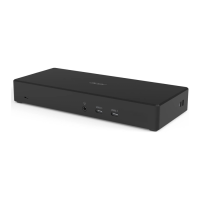
Note: Please refer to page 4 for the position of HDMI and DP port.
The resolution of the external screen will also vary depending on the
connected Chromebook and screen. The actual resolution of the output
screen is subject to the specification of the currently connected Chromebook
and external screen.
2 extenal display
3840x2160@30Hz
2560x1440@60Hz
3840x2160@30Hz
2560x1440@60Hz
not connected
not connected
3840x2160@30Hz
2560x1440@60Hz
3840x2160@30Hz
2560x1440@60Hz
3840x2160@30Hz
2560x1440@60Hz
not connected
3840x2160@30Hz
2560x1440@60Hz
3 extenal display 1920x1080@60Hz 1920x1080@60Hz 1920x1080@60Hz
Display
Configuration
HDMI0/DP0 port HDMI1 port DP1 port



 To Next Page