https://www.alcaidc.com/Public/ProductGroupDetail.aspx?model=UT222Q
Acer LCD Monitor Quick Start Guide (QSG)
Important safety instructions
Please read the following instructions carefully.
1. To clean the LCD monitor screen:
•TurnotheLCDmonitorandunplugthepowercord.
•Sprayanon-solventcleaningsolutionontoaragandcleanthescreengently.
2. DonotplacetheLCDmonitornearawindow.Exposingthemonitortorain,moistureorsunlightcan
severelydamageit.
3. DonotapplypressuretotheLCDscreen.Excessivepressuremaycausepermanentdamagetothedisplay.
4. Donotremovethecoverorattempttoservicethisunityourself.Anauthorizedtechnicianshouldperform
servicingofanynature.
5. StoretheLCDmonitorinaroomwithatemperatureof-20°to60°C(-4°to140°F).StoringtheLCDmonitor
outsidethisrangemayresultinpermanentdamage.
6. Immediatelyunplugyourmonitorandcallanauthorizedtechnicianifanyofthefollowingcircumstancesoccur:
•Monitor-to-PCsignalcableisfrayedordamaged.
•LiquidspillsontotheLCDmonitororthemonitorisexposedtorain.
•The LCD monitor or case is damaged.
Package contents
LCD monitor Power cord HDMIcable(Option) USBcable Quick start guide
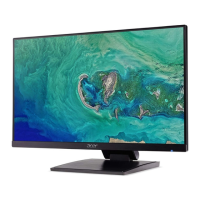
LCD monitor UT2 Series-UT222Q
USER GUIDE
Connect the monitor to your computer
1. Turnoyourcomputerandunplugyourcomputer'spowercord.
2. ConnectthesignalcabletotheHDMI(optional)and/orDP
(optional)inputsocketofthemonitor,andtheHDMI(optional)
and/orDP(optional)outputsocketofthegraphicscardonthe
computer.
3. Insertthemonitorpowercableintothepowerportattheback
of the monitor.
4. Plugthepowercordsofyourcomputerandyourmonitorintoa
nearbyelectricaloutlet.
Note:Audiooutputisonlyforaudiooutputmodel.Pleasecheckusermanualformoreinstruction.
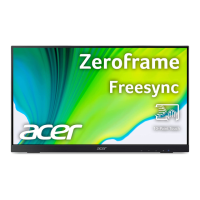
FreeSync
Itcan allowaFreeSyncsupportedgraphicssourcetodynamicallyadjustdisplayrefreshratebased ontypical
contentframeratesforpowerecient,virtuallystutterfreeandlow-latencydisplayupdate.


 To Next Page