2.2
Use Instructions to Install Diagnostic Tool APK
2.2.1 Unzip the compressed package and take out Diagnostic Too.apk
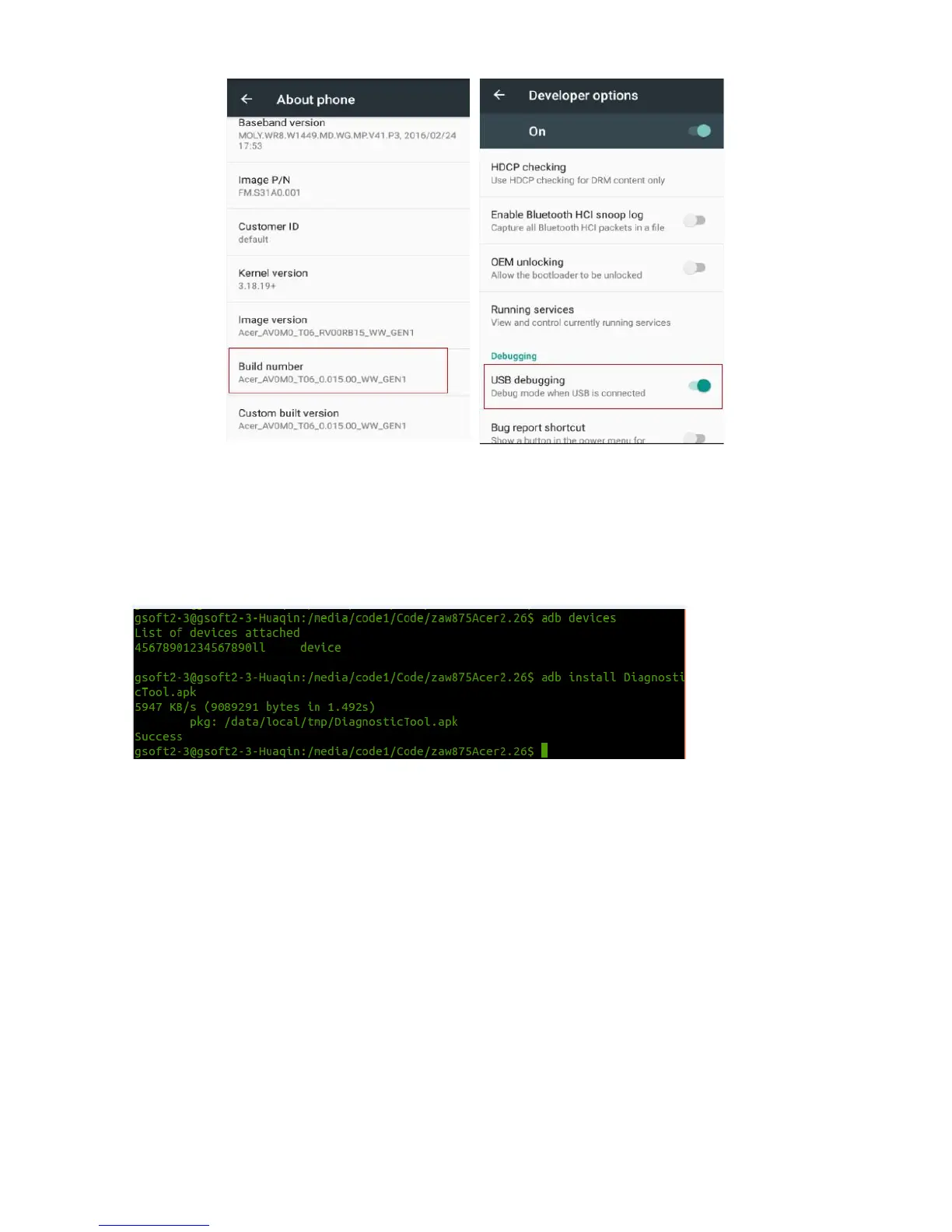
2.2.2 Use adb instructions to install test tool apk.
First use adb devices instruction to check whether the tablet is connected into PC, then use adb install
Diagnostic Tool.apk instruction to install this apk. See operating diagram as below.
Wait for seconds when using install instructions, congratulations to you on the word “Success”
appearing as the picture above.



 To Next Page