5
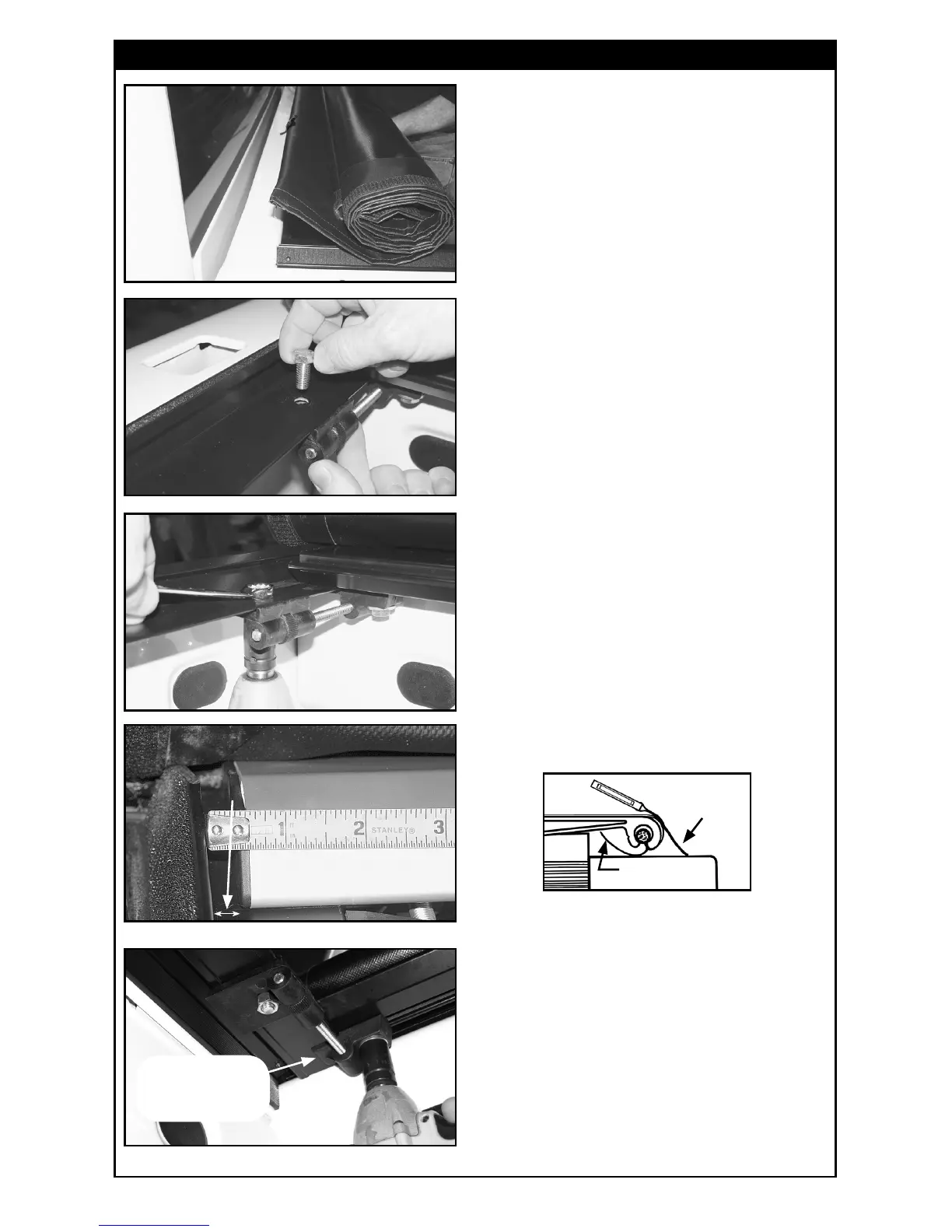
A. Set rolled up cover on rails at front
of box (behind cab) with front bar
facing up. Roll cover bar onto front
of rails and fold/tuck vinyl ap under
with storage strap tabs out. Now bar
will face down. Let straps hang to
inside of box. Push cover bar forward
until it sets at on front of side rails.
3. MOUNTING COVER TO SIDE RAILS
B. Slide left tension adjuster over
until it engages under side rail. (See
photo in Step 3E for tension adjuster
tab under side rail.) Push bar back
and forth to line up holes. Do not
turn dial wheel. Insert bolt from top
and nut from bottom.
C. Hold bolt at top and tighten nut
under side rail. Repeat procedure
for right tension adjuster.
D. Center the front bar between the
two side rails.
Center front bar between
rails until space is equal
at both ends
Adjuster tab
goes under–then
tighten bolt
E. Tighten bolt (left loose earlier)
under front bar on each tension
adjuster.
NOTE: Before tightening, make sure vinyl ap
is still tucked under front bar and alignment
tab for storage straps is out.
Alignment tab
for storage
straps is out
Vinyl ap
tucked under



 To Next Page