
EasyManua.ls Logo

ACIL H2 - User Manual

ACIL H2
32 pages
Print Icon
To Next Page IconTo Next Page
Loading...
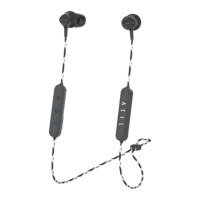
ACIL H2
Wireless In-Ear Headphone
Owner’s Guide
4

Questions and Answers

  • J
    Jeff MeltonAug 11, 2025
    Why is there no sound from my ACIL H2?
    • A
      Alexander WilsonAug 12, 2025
      If you're not getting any sound from your ACIL Wireless Headphones, try the following: * Ensure the headphones are powered on and the battery is charged. * Increase the volume on both your headphones and the connected Bluetooth device. * Press the Power/Bluetooth button to confirm the correct device is connected. * Move your Bluetooth device closer to the headphones, away from obstructions. * Try a different music source or pair a different Bluetooth device.
  • R
    Robert RobbinsAug 19, 2025
    How to fix ACIL Wireless Headphones not pairing?
    • A
      andrew13Aug 20, 2025
      If your ACIL Wireless Headphones aren't pairing with your Bluetooth device, try these steps: * Toggle the Bluetooth feature on your device off and on again. * Remove your ACIL H2 headphones from the Bluetooth list on your device and pair them again. * Bring your Bluetooth device closer to the headphones, ensuring there are no obstructions. * Try pairing with a different Bluetooth device to see if the issue persists.
  • K
    Kathryn WardAug 27, 2025
    How to improve poor sound quality on ACIL H2 Wireless Headphones?
    • B
      Bryan VillegasAug 27, 2025
      To improve the sound quality of your ACIL Wireless Headphones, consider these suggestions: * Try using a different music source. * Pair a different Bluetooth device to rule out compatibility issues. * Disconnect any other devices that may be connected. * Move your Bluetooth device closer to the headphones, ensuring no interference. * Clean the earbuds and headphone nozzles to remove any debris or wax buildup.
  • J
    Jimmy EvansSep 2, 2025
    Why aren't my ACIL H2 charging?
    • K
      Katherine CochranSep 3, 2025
      If your ACIL Wireless Headphones aren't charging, try the following: * Open the USB connector and securely connect the small end of the USB cable to the USB connector. * Ensure the cable connector is correctly aligned with the headphone connector. * Make sure both ends of the USB cable are securely connected. * If the headphones have been in extreme temperatures, allow them to return to room temperature before attempting to charge again.

ACIL H2 Specifications

General IconGeneral
ConnectivityBluetooth 5.0
Driver Size40mm
Impedance32Ω
Frequency Response20 Hz - 20 kHz
Charging Time2 hours