Headphone Controls
Media playback and volume functions
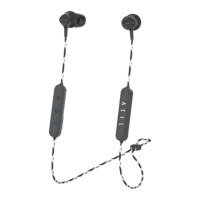
The headphone controls are located on the inline remote
below the right earbud.
Function What to do
Play/Pause Press MFB Button
Volume Up Press +
Volume Down Press -
Previous Track Press and hold + for 2 seconds
Next Track Press and hold - for 2 seconds
Function
What to do
Answer a call Press MFB Button
End a call Press MFB Button
Redial Press MFB Button twice
Reject a call Press and hold MFB Button
for 2 seconds
11


 To Next Page