41
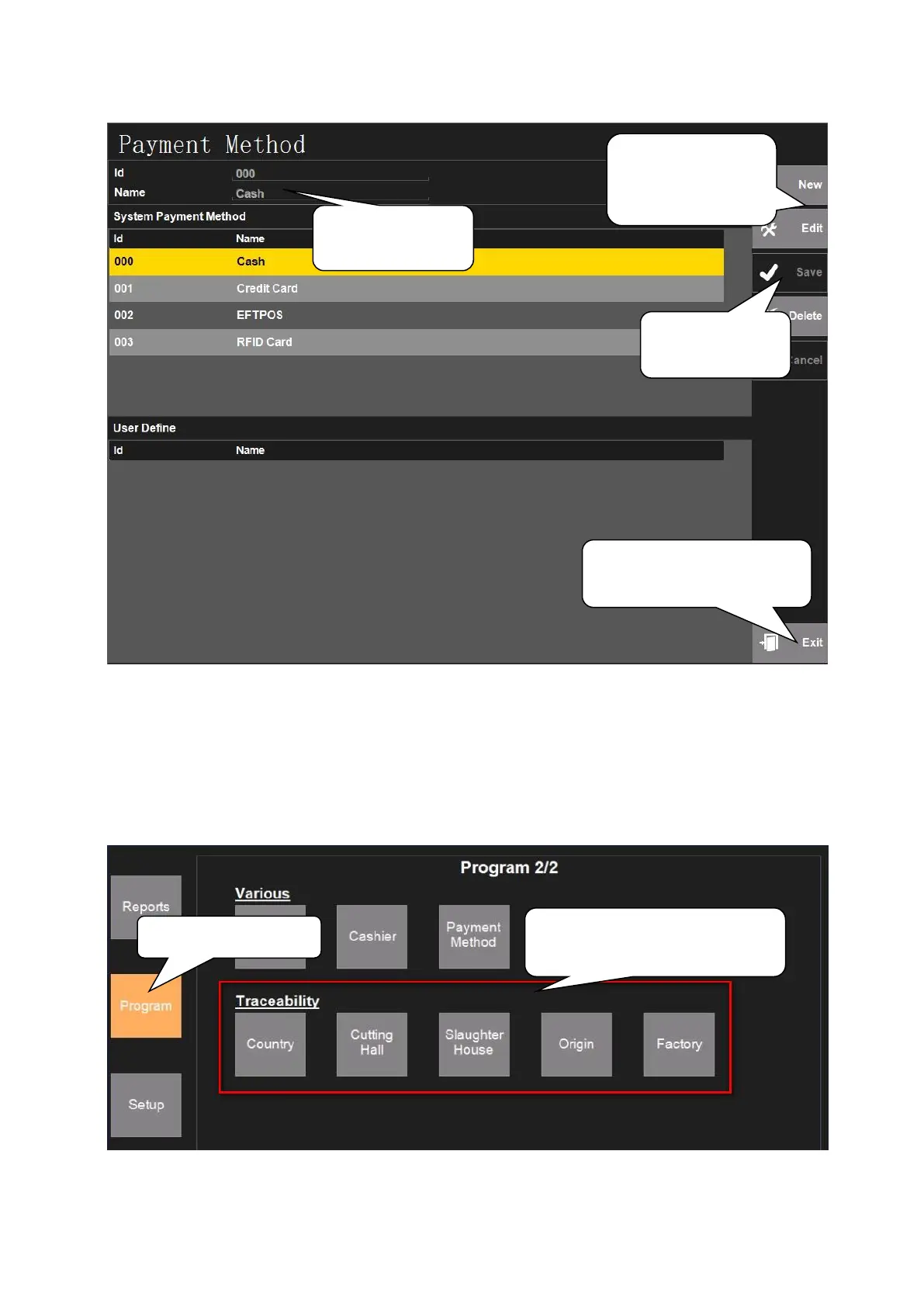
5.2.4.7. Payment Method
5.2.5. Traceability
Under ‘Program’ interface, click ‘Country’, ‘Cutting Hall’, ‘Slaughter House’, ‘Origin’ and ‘Factory’
under the ‘Traceability’ one by one to set the Traceability of Commodities. The steps of all the 5 settings
are the same, take editing ‘Country’ as an example:
2. Click following block one
by one to edit traceability
1. Click ‘New’ or
‘Edit’ to add/edit
payment method
2. Edit payment
information here
3. Click ‘Save’
after editing
4. Click ‘Exit’ to exit
payment editing interface



 To Next Page