3
GB
Before using
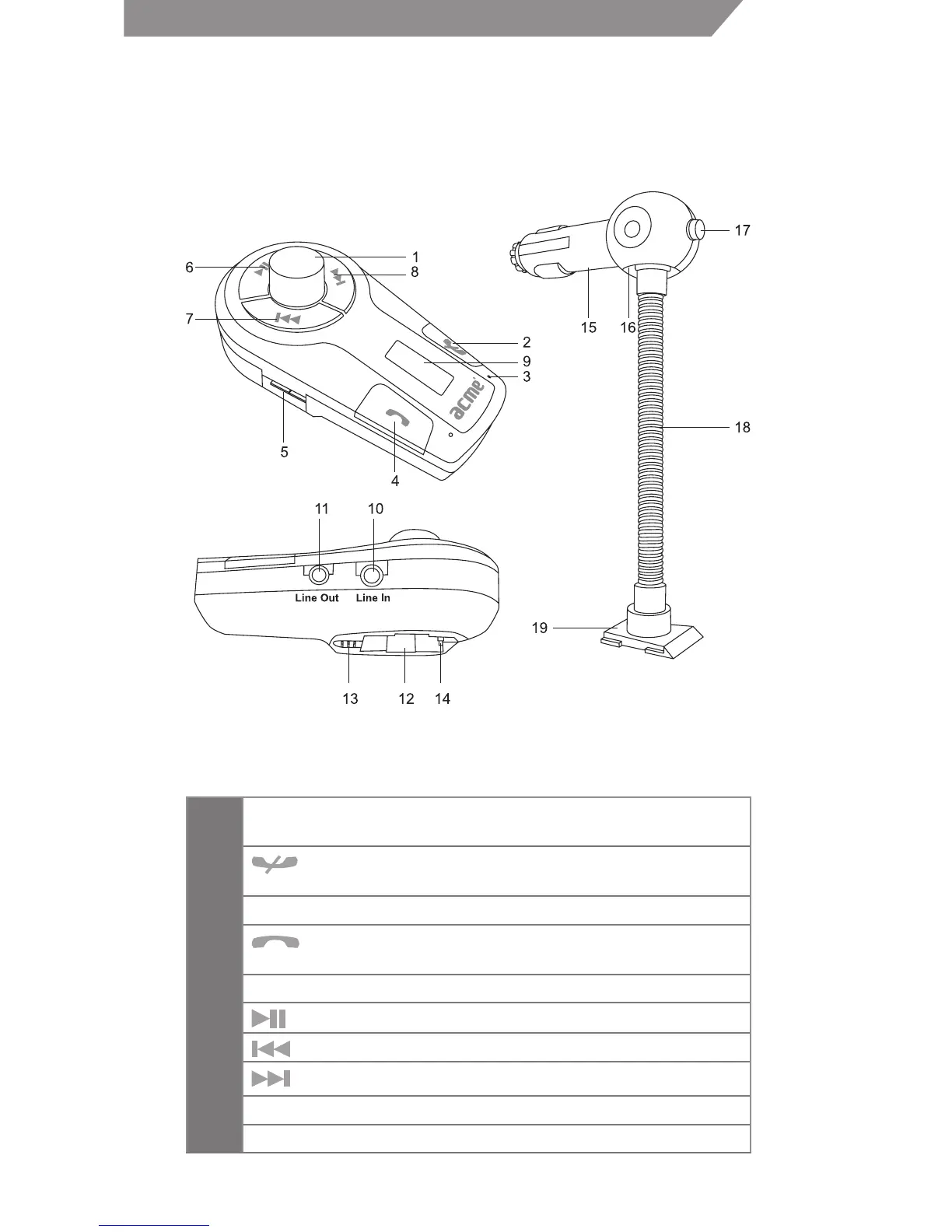
Overview
Main Body Cigarette Adaptor
1
MFB—Adjust frequency, adjust volume and frequency
tuning automatically
2
button and red indicator light—End call and
reject call
3 Microphone
4
button and blue indicator light—Redial last call
and answer call, entering pairing mode
5 USB socket—Power and charge other devices
6
button—Pause/revert
7
button—Last song
8
button—Next song
9 Display screen—Display the frequency and volume
10 Line In—3.5mm audio input



 To Next Page