1. Button:
To select the programming functions
To go forward in the selected functions
To go backward in the selected functions
To confirm the selected functions
2. MICROPHONE:
To receive music for sound active
3. LED:
4. DISPLAY:
Used to show the various menus and the selected function
5. FUSE(T 5A):
Protects the unit from over-voltage or short circuit
6. POWER IN/OUT:
Used to connect to supply power/Used to connect to the next fixture
7. DMX IN/OUT:
Use 3-pin XLR cable to link the units and input/output DMX signal (5-pin XLR is optional)
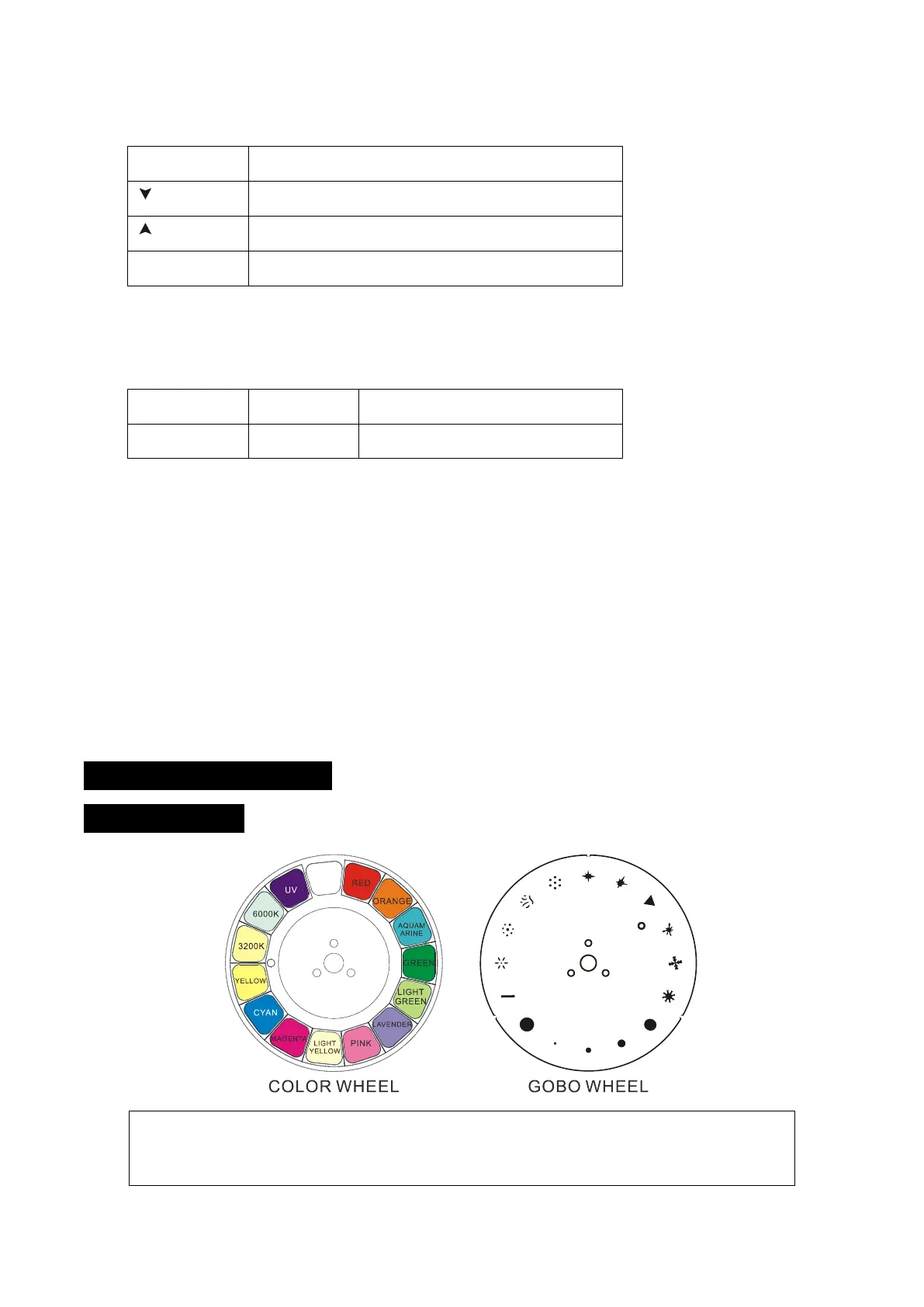
4. Color/Gobo and Lamp
4.1 Color/Gobo
DANGER!
Install the color wheel/gobo wheel with the device switched off only.
Unplug from mains before changing the color wheel/gobo wheel!
6C










 To Next Page