
 Need help?
Do you have a question about the ACME SUPERNOVA and is the answer not in the manual?
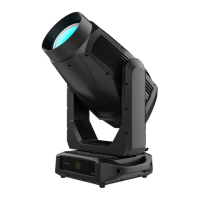
This document describes the ACME SUPERNOVA, an IP66-rated moving head fixture designed for both indoor and outdoor events. It is a versatile lighting fixture with a range of dynamic effects and control options, suitable for professional lighting applications.
The ACME SUPERNOVA is a high-performance moving head fixture capable of producing a wide array of lighting effects. It features variable color temperature control, continuous rotation animation wheel with variable speed and direction, and a variable iris (0-100%). The fixture is equipped with two indexing/rotating prisms (a 4-facet circular prism and a 4-facet linear prism) and offers both soft and heavy frost effects. Motorized zoom and focus allow for precise beam shaping, and a rotatable framing module with four individually controllable full framing blades provides flexible light shaping with variable angle and position. The fixture supports CMY color mixing and offers 0-100% continuous dimming with strobe effects, along with a choice of four dimming curves.
The ACME SUPERNOVA offers flexible installation options, including hanging upside-down or standing on the floor. It comes with two omega brackets with 1/4-turn fasteners for secure rigging. A safety chain (min. diameter 4.0mm steel) must always be used when fixing the unit. The fixture requires adequate ventilation, with at least 50cm clearance from adjacent surfaces, and ventilation slots must not be blocked to prevent overheating. It is crucial to connect the product to the proper voltage and ensure proper grounding to avoid electric shock. The fixture should not be connected to any dimmer pack.
The control menu is accessed via [MENU], [ENTER], [▲ UP], and [▼ DOWN] buttons on the LCD display. The display automatically locks after a period of inactivity and can be unlocked by long-pressing [MENU]. Key menu options include:
The fixture allows for fine-tuning of various parameters to adjust home positions. This is accessed by long-pressing the [ENTER] button in the control menu. Adjustable offsets range from -128 to 127 for most parameters (Pan, Tilt, Cyan, Magenta, Yellow, CTO, Color 1, Color 2, Gobo 1, R-Gobo 1, Gobo 2, R-Gobo 2, Animation, Prism 1, R-Prism 1, Prism 2, R-Prism 2, Frost 1, Frost 2, Zoom, Focus, Blade, Blade DW 1, Blade DW 2, Blade UP 1, Blade UP 2, Blade LF 1, Blade LF 2, Blade RG 1, Blade RG 2). Iris has an adjustment range of 0-255. Frequency can be adjusted from 1072-1327Hz, and Dimming Start from 0-9999.
Regular cleaning is essential for the fixture's lifespan and performance. Dust, dirt, smoke particles, and fog fluid residues can degrade light output and cooling. Cleaning intervals depend on the operating environment, with more frequent cleaning needed in the presence of smoke/fog machines, high airflow, or airborne dust. Cleaning should be done in a clean, dry, well-lit area using gentle pressure and a soft, lint-free cloth dampened with water and mild detergent. Alcohol, solvents, or abrasives should never be used, especially on optical components which are fragile and easily scratched.
The manual includes a troubleshooting section for common issues such as the fixture not responding, turning off, intermittent light output, or irregular operation. It also details various error codes (e.g., CPU-B/C/D/E/F/G Error, Pan/Tilt Reset/Encode Error, Cyan/Magenta/Yellow/CTO Reset Error, Color/Gobo/R-Gobo/Animation/Prism/R-Prism Reset Error, Focus/Zoom Reset Error, Blade Reset Error, Fan Start/Stop Errors, Led Temp. Error, AIOT-A Error, NTC Error, Head/Base Humi. Too High) and provides potential causes and remedies. For firmware updates, a USB flash drive formatted to FAT32 is required. Only qualified technicians should perform software updates.
The fixture is approved with CE, cETLus, UK SI 2016 No. 1091, and UK SI 2016 No. 1101 certifications, complying with Electromagnetic Compatibility (EMC) and Low Voltage Directive (LVD) standards.
 General
| Brand | ACME |
|---|---|
| Model | SUPERNOVA |
| Category | Lighting Equipment |
| Language | English |









 To Next Page