- 30 -
7.2 Updating Software
Only qualified technicians should perform this function! Note all menu settings before
updating software! Please note, up to 32 fixtures can be connected together and updated at
the same time.
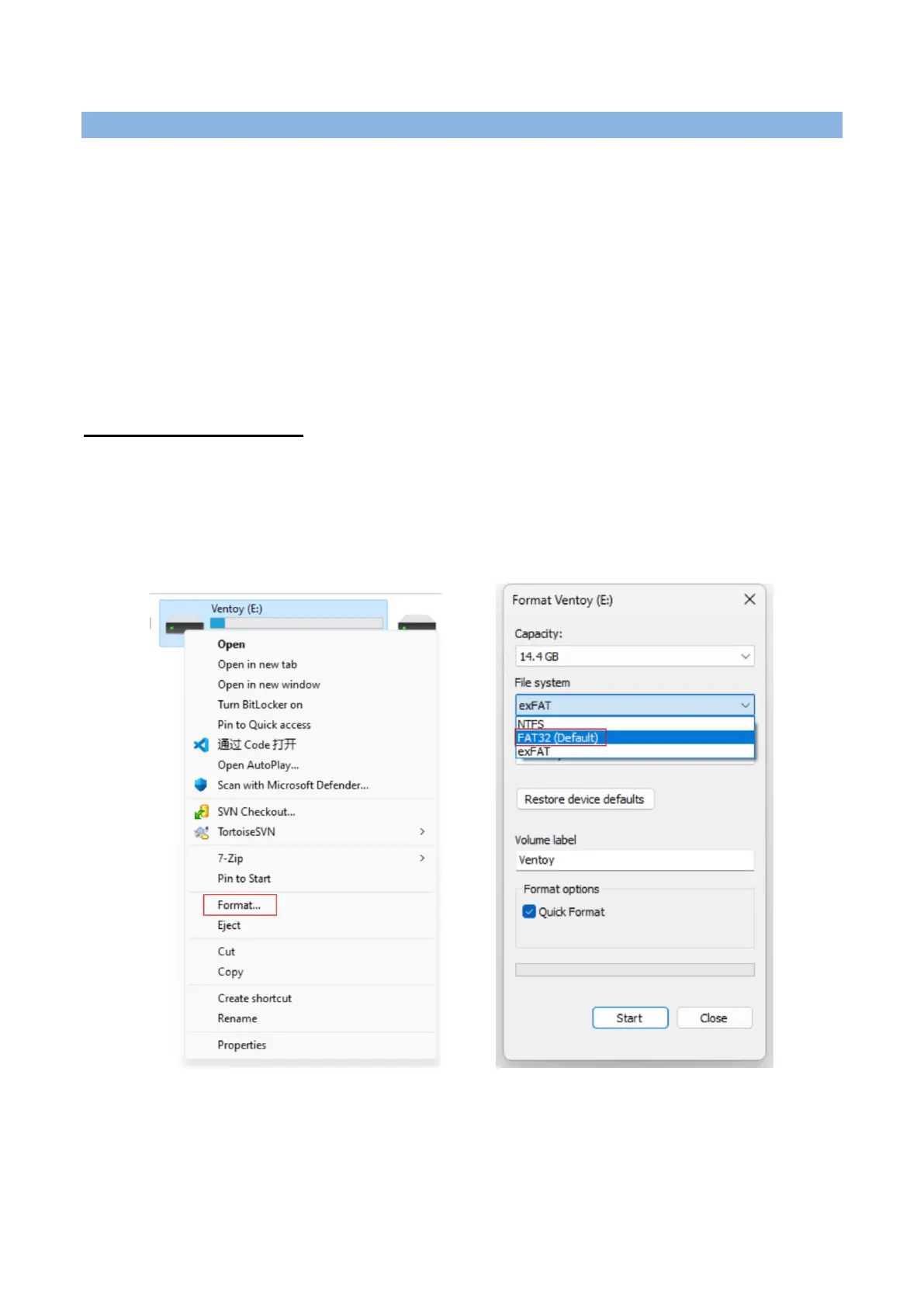
Note: Before using the USB flash drive to update the software, please ensure that the USB
flash drive is formatted with the FAT32 file system. Otherwise, you will need to reformat the
USB flash drive to FAT32 before transferring the .yfu files, as the device will only recognize the
files stored on a FAT32 formatted drive.
Format the USB flash drive:
Connect the USB flash drive to the computer.
Right-click on the USB flash drive disk.
Click "Format".
Select the "FAT32" file system and click "Start".










 To Next Page