- 58 -
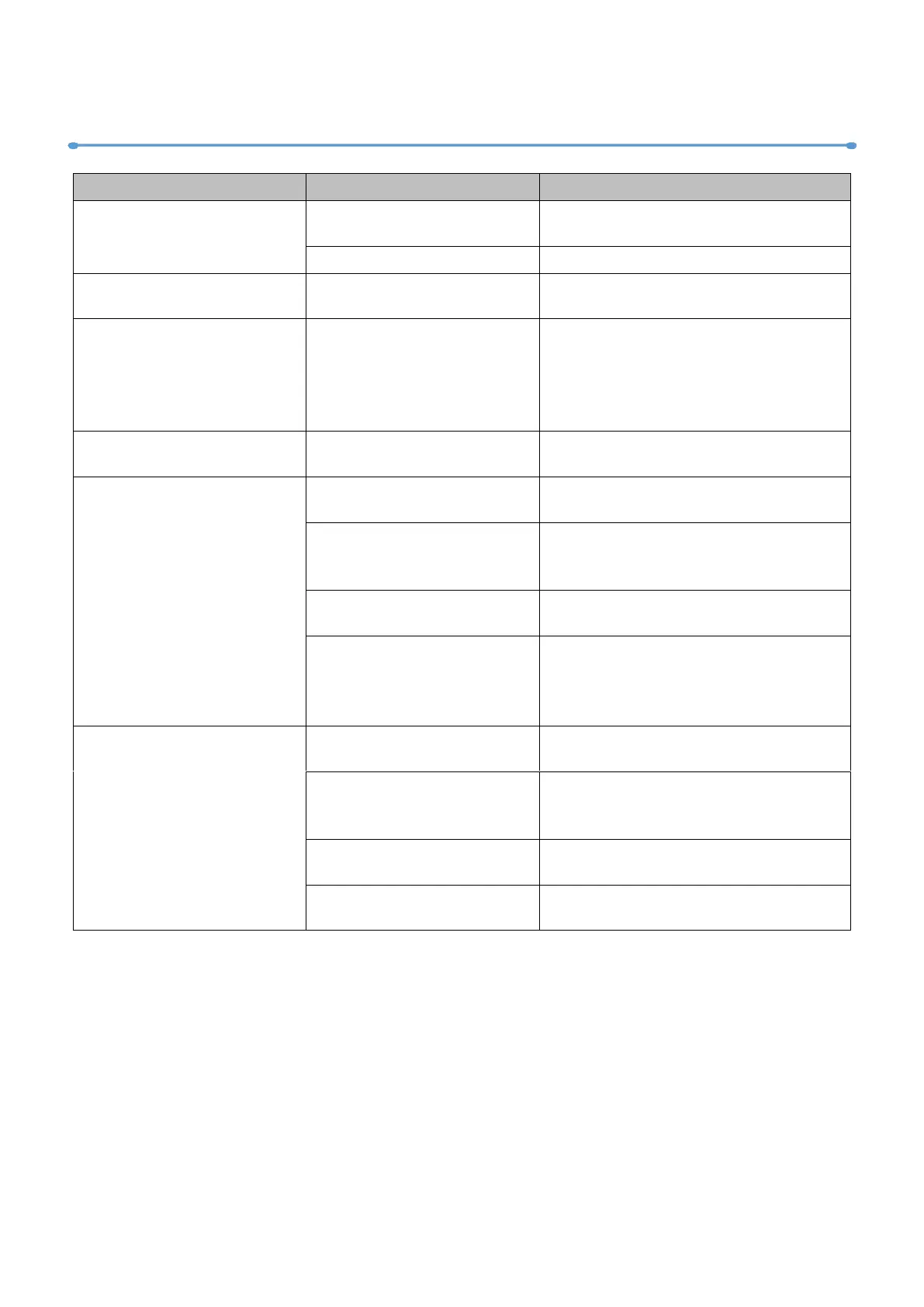
10/ Troubleshooting
Fixture does not respond
or appears to be off.
Confirm that the power is switched
on and cables are plugged in.
Fixture suddenly turned
off.
Check the power supply, switches
and breakers.
Light output cuts out
intermittently.
Check fixture’s stored error
messages for more information.
Allow fixture to cool.
Clean fixture.
Reduce ambient temperature.
Fixture suddenly stopped
responding.
DMX cables were
disconnected.
Fixture operates
irregularly / abnormal.
Incorrect DMX address or
DMX mode.
Inspect and enter the correct DMX
address or mode.
DMX link is not
terminated.
Install a XLR 120ohm DMX
termination at the end of the DMX
link.
Replace or repair defective cables
and/or connections.
One of the fixtures is
defective and is disturbing
data transmission on the
link.
Track and isolate the corrupted
fixture.
Have the fixture serviced by a
qualified technician.
Pan / tilt is skipping /
shuddering
Pan/ tilt locks are not
released.
Release the pan / tilt locks.
Obstacles are within the
required pan / tilt
clearance.
Inspect and remove any obstacles
constraining free operation of the
pan / tilt.
The Hall element is
damaged.
Replace the Hall element.
The magnetic steel fell
out.
Replace the magnetic steel.










 To Next Page