Import images
4
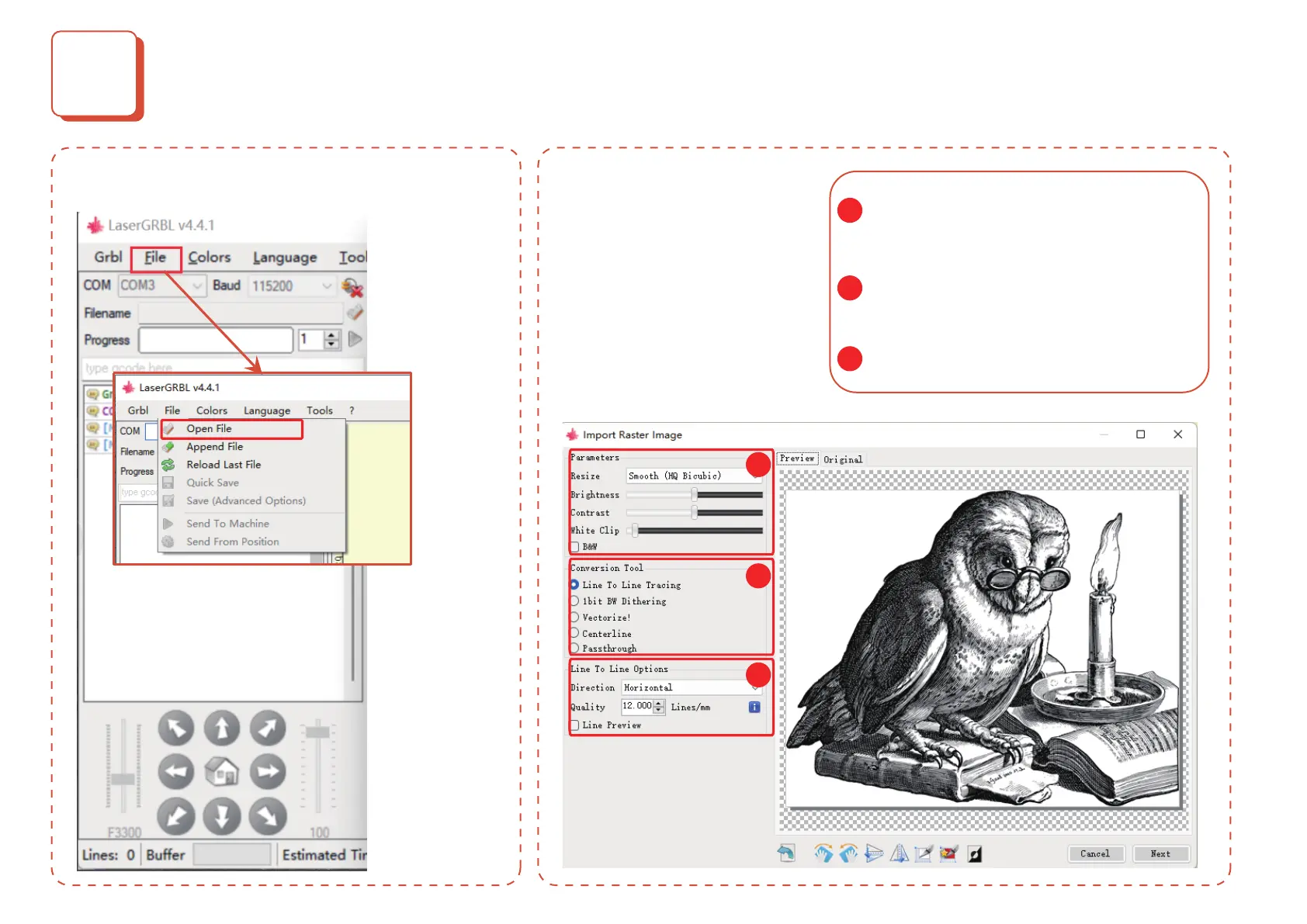
1. Open File and add the image to be engraved
Adjust the brightness and contrast of the picture
according to the set mode; (if you wanna use the
cut mode, please select vector image and no ll)
Set up conversion tools (e.g. grayscale mode, dot
matrix mode, vector graphics, etc.)
The higher the quality of the picture, the better the
engraving eect will be;
2. Set engraving parameters
(please see the next page for
details)
1
1
2
3
2
3


 To Next Page