13
7.1 LightBurn
7.1.1 Machine Connection
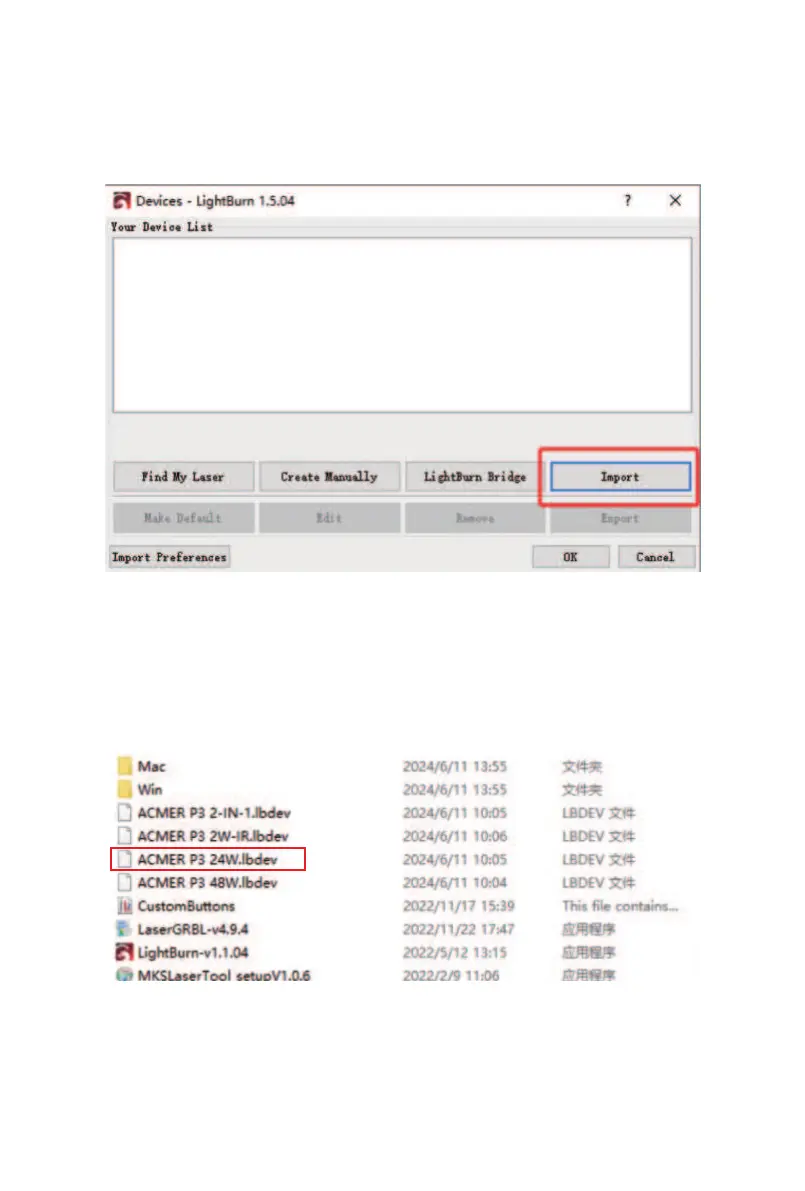
① Choose “Devices” then Click “Import”
② From the "Software/" folder on the TF card, find the
configuration file corresponding to your product. For
example, if your machine is the P3 24W, select the
"ACMER P3 24W.lbdev" file, then click "Open".



 To Next Page