EasyManua.ls Logo

ACONLABS ON CALL EXPRESS - User Manual

ACONLABS ON CALL EXPRESS
108 pages
Print Icon
To Next Page IconTo Next Page
Loading...
i
Blood Glucose Monitoring System
Self monitoring of blood glucose (SMBG) is an important part of diabetes care, but
the high cost of testing can make it difficult. At ACON, our goal is to provide high
quality glucose monitoring systems at a price that allows you to test as often as
necessary. Together, we can better manage your diabetes and help you live a
longer and healthier life.
Welcome, and thank you for choosing the On Call
®
Express Blood Glucose
Monitoring System. The On Call
®
Express Blood Glucose Monitoring System will
give you accurate blood glucose results in just a few simple steps.
The On Call
®
Express Blood Glucose Monitoring System uses an electrochemical
enzymatic assay. It is for the quantitative detection of glucose in fresh capillary
whole blood. It allows people with diabetes to take blood samples from the fingertip,
forearm or palm. It is used at home as a way to monitor the effectiveness of
diabetes control programs. Alternative testing sites (forearm and palm) should be
used only during steady-state times (when blood glucose level is not changing
rapidly). The On Call
®
Express Blood Glucose Monitoring System is intended to be
used by a single patient and should not be shared. Alternative Site Testing (AST)
should not be used to calibrate continuous glucose monitors (CGMs) nor for use in
insulin dose calculations. On Call
®
Express Blood Glucose Monitoring System is
for single patient use only. Do not share with others.
To ensure accurate results from your On Call
®
Express Blood Glucose Monitoring
System, please follow these guidelines:
Read instructions before use.
Use only On Call
®
Express Blood Glucose Test Strips with the On Call
®
Express
Blood Glucose Meter.
For in vitro diagnostic use only. Your blood glucose monitoring system is to be
used only outside the body. It’s for monitoring the effectiveness of diabetes
control. It should not be used for the diagnosis of diabetes.

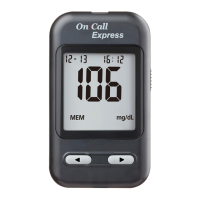
Table of Contents

Questions and Answers

  • P
    Phillip WilkersonAug 17, 2025
    What to do if my ACONLABS Blood Glucose Meter has a communications failure?
    • V
      Veronica JuarezAug 17, 2025
      If your ACONLABS Blood Glucose Meter displays a communications failure, it means there's an error in transferring data to the PC. Refer to the package insert included in the On Call® Diabetes Management Software for troubleshooting steps.
  • M
    Matthew OconnellAug 21, 2025
    What to do if ACONLABS Blood Glucose Meter says battery is low?
    • T
      Tiffany PriceAug 21, 2025
      If your ACONLABS Blood Glucose Meter indicates that the battery is low but can still run 20 more tests, your test results will still be accurate. However, you should replace the battery as soon as possible.
  • S
    Shawn ClarkAug 23, 2025
    What to do if ACONLABS Blood Glucose Meter temperature is too high?
    • T
      Teresa MckenzieAug 25, 2025
      If your ACONLABS Blood Glucose Meter shows that the temperature has exceeded the operating temperature, move to a cooler environment and repeat the test.
  • L
    Larry DownsAug 27, 2025
    What to do if ACONLABS Blood Glucose Meter temperature is too low?
    • M
      Michael MartinezAug 27, 2025
      If your ACONLABS Blood Glucose Meter indicates that the temperature is below the operating temperature, move to a warmer environment and repeat the test.
  • E
    Edward LiAug 30, 2025
    What to do if ACONLABS Blood Glucose Meter shows test strip error?
    • P
      Peter GallowayAug 31, 2025
      If your ACONLABS Blood Glucose Meter shows a test strip damaged or calibration error, retest using a new strip. If the problem persists, contact Customer Support at 1-800-838-9502.
  • B
    Brandon MyersSep 3, 2025
    Why my ACONLABS Blood Glucose Meter says non On Call® Express test strip inserted?
    • J
      Jennifer HigginsSep 3, 2025
      Ensure you are using the On Call® Express test strip with your On Call® Express Blood Glucose Meter. If the issue continues, contact Customer Support at 1-800-838-9502.
  • R
    rebecca99Sep 6, 2025
    What to do if ACONLABS Blood Glucose Meter is plugged in with the data transfer cable?
    • W
      Wanda CrossSep 6, 2025
      If the ACONLABS Blood Glucose Meter data port is plugged in with the data transfer cable when the meter is waiting for sample application, unplug the data transfer cable, remove the strip, and reinsert the strip into the strip port for testing. If the problem continues, contact Customer Support at 1-800-838-9502.
  • P
    phillipsmichaelSep 9, 2025
    What to do if ACONLABS Blood Glucose Meter has electronics failure?
    • S
      sullivanlisaSep 9, 2025
      If your ACONLABS Blood Glucose Meter experiences an electronics failure, contact Customer Support at 1-800-838-9502.
  • W
    William MendozaNov 13, 2025
    How to fix ACONLABS Blood Glucose Meter that fails to turn on?
    • N
      Nathan NelsonNov 13, 2025
      If your ACONLABS Blood Glucose Meter fails to turn on, it could be due to several reasons. The battery may be damaged or not charged, so try replacing it. If the meter is too cold, wait 30 minutes for it to reach room temperature before testing again. For a Power On self-check error, remove the battery for 30 seconds and reinsert it. If the problem persists or if there's an internal calibration check error, contact Customer Support at 1-800-838-9502. Also, ensure you repeat the test if the test strip was removed during the test, the sample was applied to the test strip too soon, the test strip is contaminated or used, there was an insufficient sample, or there was a sample application error due to late sample re-dosing. In the last four cases, repeat the test with a new test strip and enou...

Summary

Getting Started

Component Descriptions

Lists and explains each component included with the blood glucose monitoring system.

Installing the Battery

Meter Setup Before Testing

Testing Your Blood

Getting a Drop of Blood

Instructions on how to prepare and obtain a blood sample for testing using the lancing device.

Testing Blood Glucose

Detailed procedure for performing a blood glucose test using the meter and test strips.

Using the Meter Memory

Performing a Quality Control Test

Maintenance

Replacing the Battery

Procedures for replacing the meter's battery when it is low or depleted.

Caring for Your On Call Express Blood Glucose Monitoring System

Guidelines for cleaning and disinfecting the blood glucose meter and lancing device.

Suggested Testing Times and Target Goals

Comparing Meter and Laboratory Results

Troubleshooting Guide

Specifications

Warranty

ACONLABS ON CALL EXPRESS Specifications

General IconGeneral
Test Time4 seconds
Operating Humidity10 - 90% RH
Hematocrit Range30 - 55%
Blood SampleCapillary whole blood
Measurement Range20-600 mg/dL
Sample Size0.4 µL
Battery TypeCR2032
Battery Life1000 tests
Operating Temperature5 to 45°C
Storage Conditions32-86°F (0-30°C), 10-90% RH