3. The Function and Operation Setting
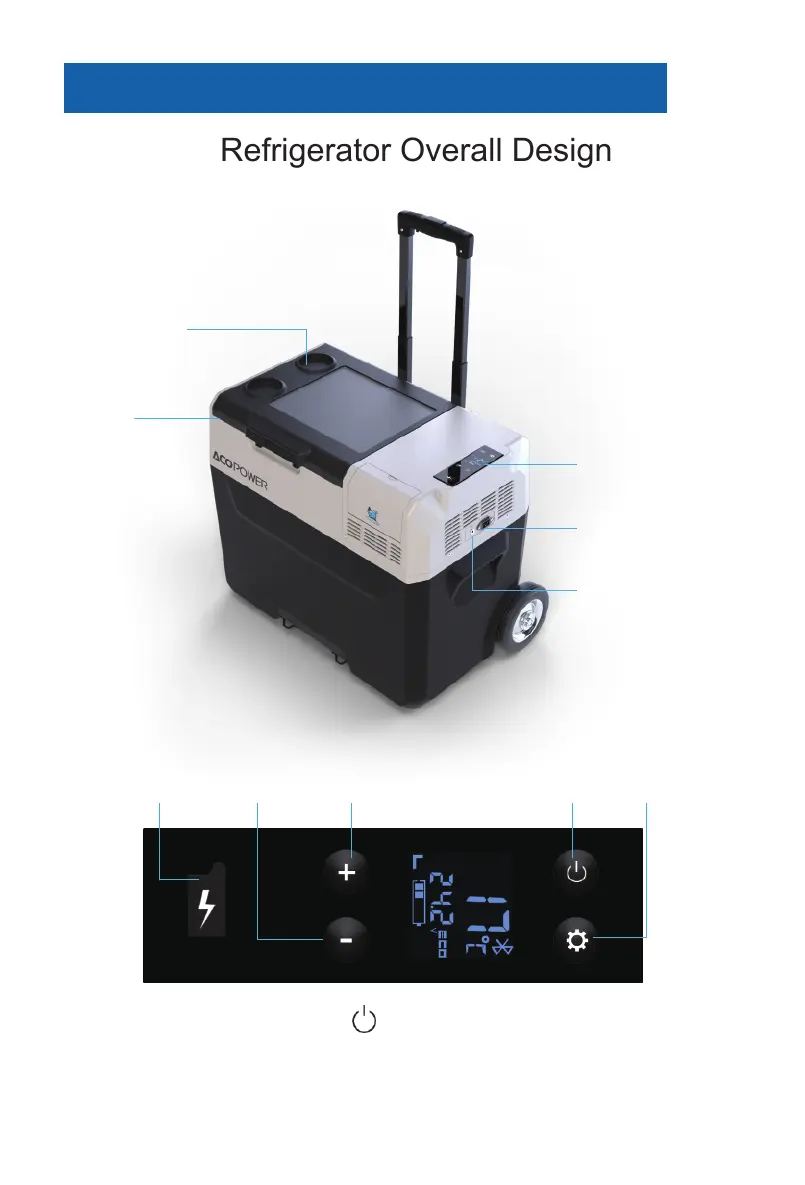
Refrigerator Overall Design
Cup Holder
Door
LCD
Solar Panel Input
DC Input
Temperature
Down
USB
Temperature
UP
Power Button “SET”Button
Power On/Off: Press the Power Button to turn the unit on/off
Temperature Setting: Can be adjusted by the “+” button up to 20℃ (Max) and down to -20℃
(Max) by the “- “button; Default temperature is Celsius degree (℃). If you would like to change to
degrees Fahrenheit (℉), turn off the fridge,then press and hold the SET button over 3 seconds
•
•
2


 To Next Page