EasyManua.ls Logo

Acorto 2000s - Page 112

Acorto 2000s
237 pages
Print Icon
To Next Page IconTo Next Page
To Previous Page IconTo Previous Page
Loading...
2030-01 2,A
Qtanlian I ? /^aliFrrofinn
Before
you
start
Step
3,
a
few
things
you
should
know...
Espresso
Grounds
Ground
Espresso
should
lrave
a texture
between
table
salt
and
flour.
The
specific
texture
will
ultimately
depend
on
the
grind.
The
espresso ground
should
be
uniform
in
size.
When
a handful
off
espresso
grounds
are squeezed
in
the palm
of your
hand.
the
grounds
should
renrain
partially
compressed
when pressure
is released.
Grind
Adjust
Arrows
With
each
ncw
extraction.
the
CP[] automatically
adjusts
the next
coffee
powder
dose (by
increasing
or decreasing
the
grind
time) based
on
the
amount
of
coffee
detected
during
the previous
extraction.
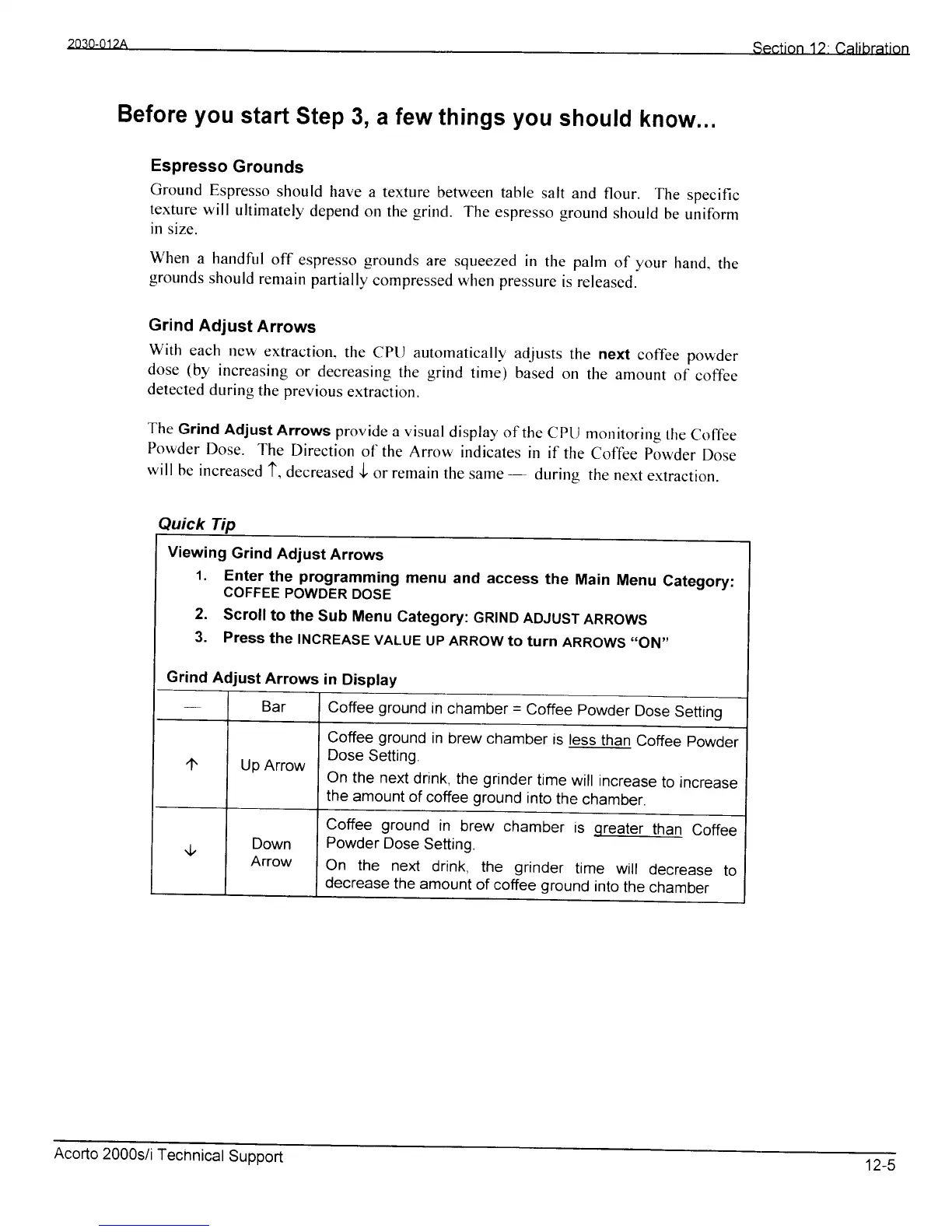
The
Grind
Adjust
Arrows
provide
a visual
display
of the
CPtj
monitoring
the
Coffee
Powder
Dose.
The
Direction
o1'' the
Arrow
indicates
in if
the
Coffee
Powder
Dose
will
be increased
t,
decreased
J
orremain
the
same--
during
the
nextextraction.
Viewing
Grind
Adjust
Arrows
't.
Enter
the
programming
menu
and
access
the
Main
Menu
category:
COFFEE
POWDER
DOSE
2.
Scrollto
the
Sub
Menu
Category:
cRtND
ADJUST
ARROWS
3.
Press
the
INCREASE
VALUE
UP ARRow
to
turn
ARRoWS
..oN''
Grind
Adjust
Arrows
in
Display
Coffee
ground
in
chamber
=
Coffee
powder
Dose
Settino
Coffee
ground
in
brew
chamber
is
less
than
Coffee
powder
Dose
Setting
On
the next
drink,
the
grinder
time
will increase
to increase
the
amount
of
coffee
ground
into
the
chamber.
Coffee ground
in
brew
chamber
is
qreater
than
Coffee
Powder
Dose
Setting.
On the
next
drink,
the
grinder
time
will
decrease
to
decrease
the
amount
of coffee ground
into
the
chamber
Acorto
2000s/i
Tecnnical
Support
12-5