EasyManua.ls Logo

Acorto 2000s - Page 17

Acorto 2000s
237 pages
Print Icon
To Next Page IconTo Next Page
To Previous Page IconTo Previous Page
Loading...
,n?n-on?a
Section
3: User
lnformation
EXAMPILE
Viewing
tlhe
"Last
Milk Clean" date
and time
1. Press
the
MENu ovAL BUTTott 3 times
(press slowly,
you
will hear a
"beep"
after each
press.)
"select
Category"
will
appear
in the
display
2. Press the scRot-l-
DowN ARRow 3 times.
"Milk
Timings"
will appear
in
the
display
3,
Press
the
meruu ovAL
BUTTott.
"Milk
Timings
Latte"
will appear
in the
display
4.
Pness SCR9LL DOWN
ARRow
f
time.
"Last
Milk
Glean"
will appear
in the
display
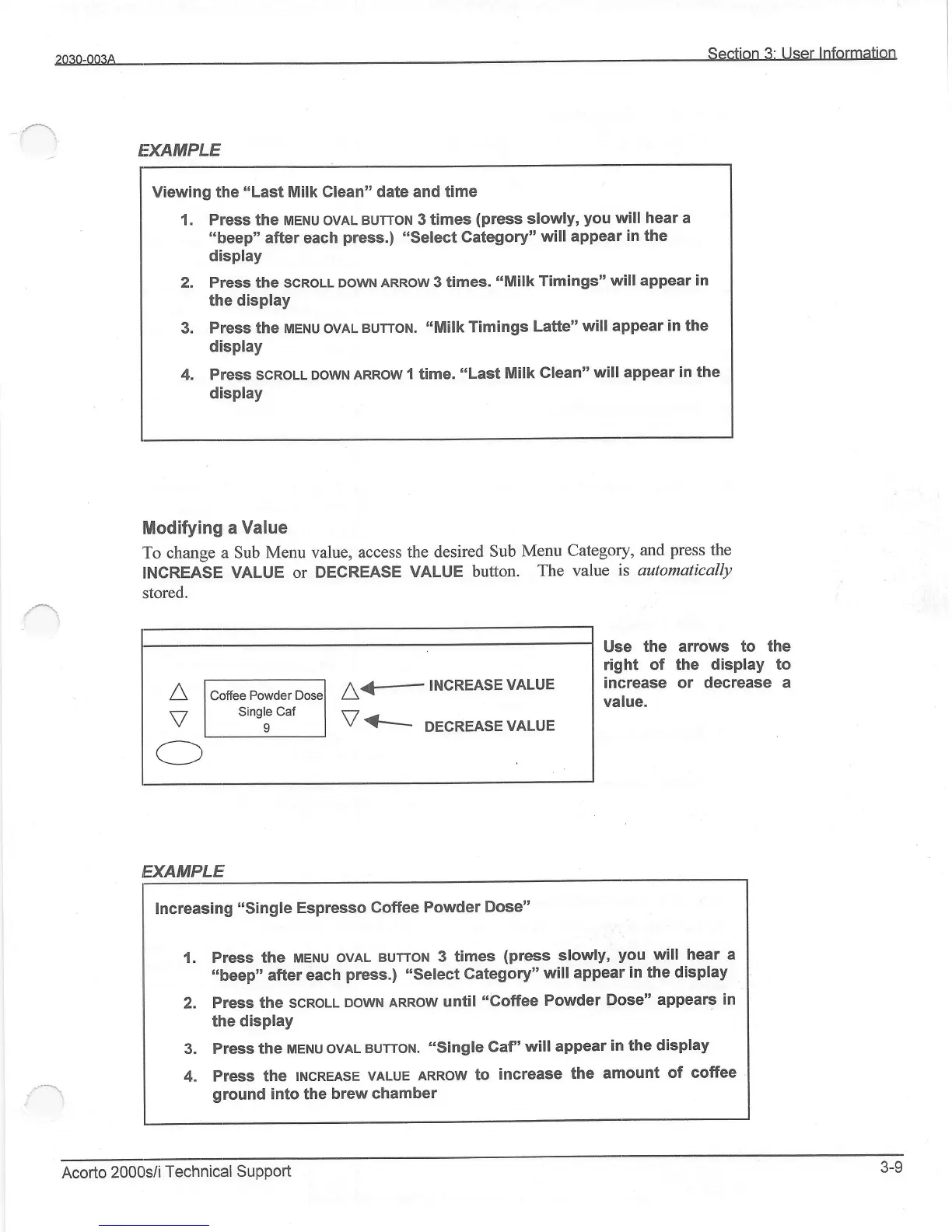
Modifying
a Value
To
change a Sub
Menu valueo
access the desired
Sub
Menu
Category,
and
press
the
fNCREASE
VALUE
or DECREASE
VALUE
button.
The
value
is automatically
stored.
A
V
Coffee
Powder
Single Caf
o
A€
INCREASEVALUE
V
<t-
DE.REASE
'ALUE
/-\,
Use the arrows
to the
right of the
display to
increase or
decrease a
value.
EXAMP'LE
Increasing
"single
Espresso
Goffee Powder
Dose"
1. Press the
naeuu OVAL
BUTTott
3 times
(press
slowly,
you
will hear a
,,beep"
after
each
press.)
,,select
category"
will appear
in the display
2. Press the
SCnOU-
DOWN ARROW
until
"Coffee
Powder
Dose"
appears
in
the
display
3. Press
the
uetu oVAL
BUTTott.
"single
Gaf'will
appear
in the
display
4, Press
the trucneasE
VALUE
ARROW
to
increase
the amount
of coffee
ground
into the
brew
chamber
Acorto
2000s/i
Technical
SuPPort
3-9