4
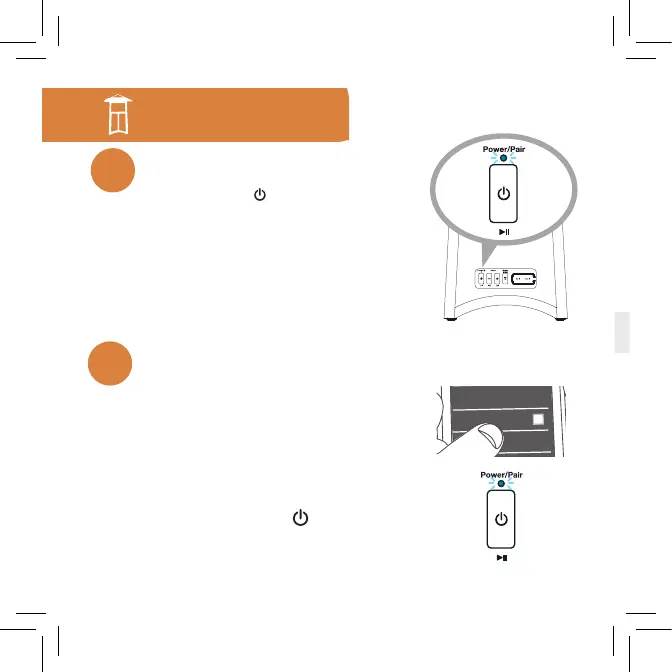
Press and hold the button on back of the
speaker to turn it on.
The Power/Pair indicator blinks white for a
few seconds, then starts blinking blue.
Turn the speaker on
1
Speaker back
Single-Speaker Setup
Bluetooth
Bluetooth Settings
Wi-Fi Settings
Enable Bluetooth on your smartphone or other
device (if it isn’t already on).
Make sure the Power/Pair indicator on the
speaker is blinking rapidly. (If it isn’t, give
a quick double press to the
button. The
speaker gives an audio signal.)
Pair and connect to your phone
2



 To Next Page