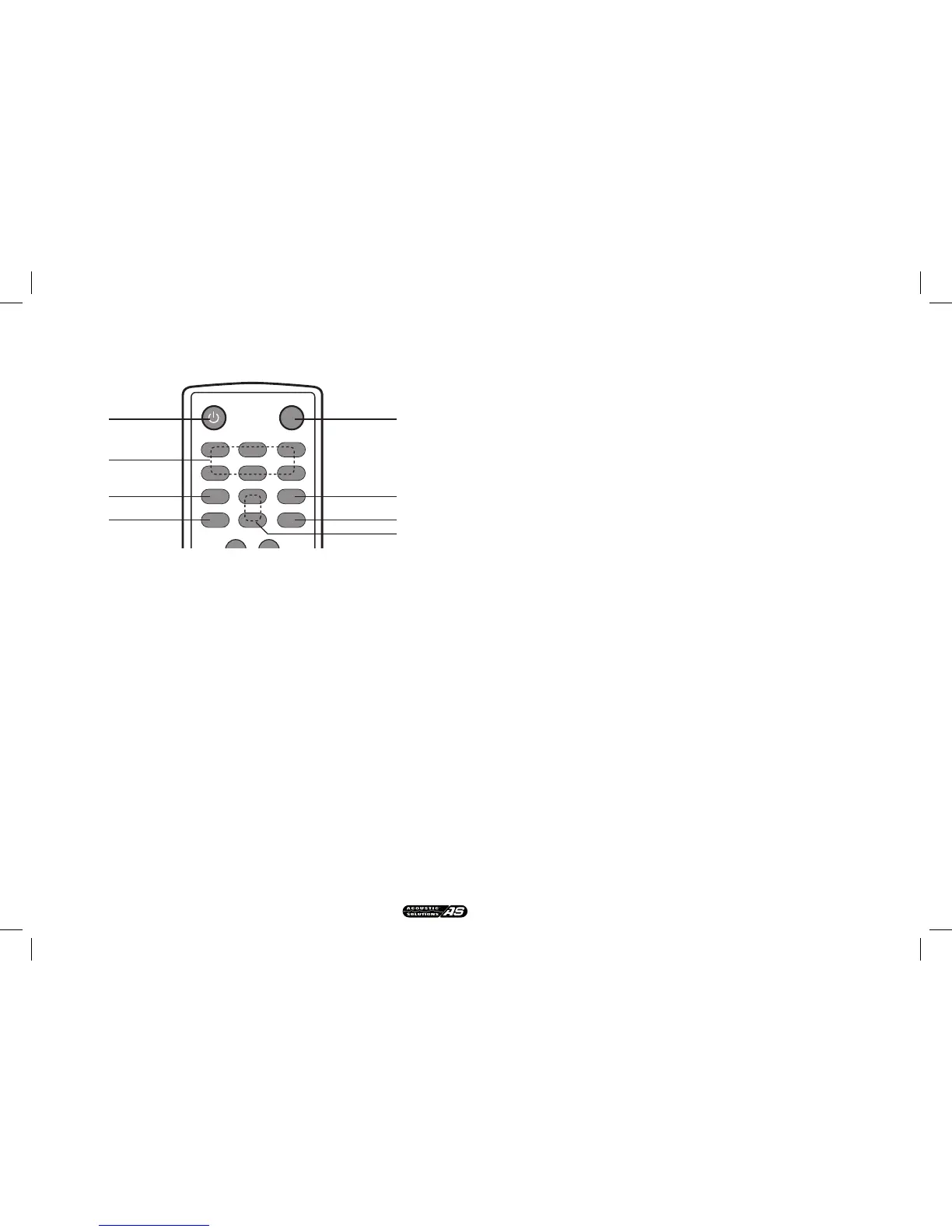
A remote conrol is supplied with the CDAB-1 unit, this remote is shared
between the CDAB-1 and the CAMP1 ( DAB/FM Tuner ) with the DAB
controls on the top half of the remote ( as shown ).
15. DAB/FM ON/STANDBY. Use this button to turn the unit on ( from standby
), when the unit is on press to put into standby.
16. PRESETS 1-6. Use these buttons to store up to 6 preset stations each
for DAB & FM radio.
17. MONO/STEREO. Switches between Mono & Stereo output ( FM only )
18. AUTO. Pressing this button activates Auto tune.
19. DAB/FM. Use this button to swicth between DAB radio & FM.
20. INFO. THis button cycles through the various information assigned to the
DAB or FM station you are tuned to.
21. ENTER. Press this button to select a function
22. TUNE + / -. These buttons are used to tune up or down.
REMOTE CONTROL FUNCTIONS


 To Next Page