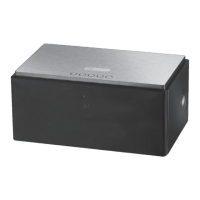
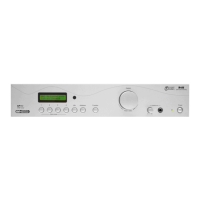
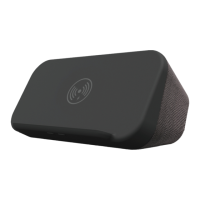
The Acoustic Solutions DX 333 is a 5.1 Dolby Digital AC-3 Home Theatre System designed to provide a full cinema surround sound experience. It features a built-in six-channel power amplifier and microcomputer processing for high-definition audio clarity.
Function Description:
The DX 333 system is primarily designed for home theatre use, offering 5.1 Dolby Digital AC-3 decoding for direct connection to DVD players with digital audio output. This allows users to experience immersive surround sound. The system includes a built-in six-channel power amplifier, eliminating the need for an external amplifier for the satellite speakers and subwoofer. It supports multiple input sources, including optical, coaxial, and auxiliary (stereo RCA) inputs, making it versatile for connecting to various audio devices like DVD players, CD players, TVs, and tuners. The system also incorporates Dolby Digital special effects to enhance the listening experience.
Important Technical Specifications:
- Audio Decoding: Built-in 5.1 Dolby Digital AC-3 decoder.
- Amplification: Built-in six-channel power amplifier.
- Input Voltage: Designed to operate on AC mains supply between 220 and 240 volts, 50 Hz.
- Mains Plug: Fitted with a 5 Amp fuse for safety.
- Speaker Type: Matching satellite speakers provided, which are magnetically-shielded to prevent interference with TV pictures.
- Remote Control: Credit card-sized full-function remote control.
- Double Insulated: The system is double insulated, requiring identical replacement parts for servicing.
Usage Features:
- Remote Control: A full-function remote control is included, allowing for comprehensive control over the system, including channel levels and tone controls. The remote requires a CR 2025 3V lithium battery.
- Input Selection: Users can select between optical, coaxial, and auxiliary inputs using the remote control.
- AUX (Analogue Stereo): For connecting stereo sound sources like CD players, TVs, or tuners via RCA phono leads to the rear panel's AUX inputs.
- COAXIAL (Digital Audio): For connecting digital audio sources, typically from a DVD player, using a coaxial digital lead to the rear panel's COAXIAL input.
- OPTICAL (Digital Audio): For connecting digital audio sources, typically from a DVD player, using an optical lead (not supplied) to the rear panel's OPTICAL input.
- Listening Modes: The system offers various listening modes, selectable via the DSP EFFECT button on the remote:
- Dolby Digital Modes: Theatre, Matrix, Live, Church, Hall, Simul (simulated).
- Decoding Options: PRO LOGIC or STEREO, selectable via the LISTEN MODE button. The DX 333 automatically detects the input signal type (5.1 Dolby Digital, Pro Logic, or Stereo) and indicates it on the front panel.
- Volume Adjustment:
- Master Volume: Controlled by the master volume buttons on the remote.
- Individual Channel Levels: The volume levels for the Centre, Surround (rear), and Sub Woofer channels can be individually adjusted to suit personal preference and room conditions.
- Test Function: A TEST function (button 4 on remote) outputs a white noise signal to help facilitate accurate setting of individual channel volume levels.
- Tone Adjustment: The system's tone can be adjusted using the BASS +/- and TREBLE +/- buttons on the remote, with a range of +/- 10 dB.
- Standby Mode: The STANDBY button on the remote allows the system to enter a power-saving standby mode, indicated by the STANDBY indicator on the front panel. Pressing STANDBY again restores normal operation with previous settings.
- Mute Function: The MUTE button on the remote temporarily mutes the sound output. The MUTE indicator on the front panel illuminates when active. Pressing MUTE again restores sound.
- Memory Function: The DX 333 stores the last settings when switched off and restores them when switched on again.
- Speaker Mounting: Matching satellite speakers are designed for wall or stand mounting.
Maintenance Features:
- Safety Instructions: Users are advised to read and keep the instructions for future reference. The unit is for indoor use only and must be connected to a suitable mains power supply using the provided lead.
- Electrical Safety: To reduce the risk of electric shock, the cover should not be removed, and servicing should be referred to qualified personnel. The unit should not be exposed to rain or moisture.
- Power Management: Unplug the unit from the wall socket during lightning storms or when not in use for extended periods.
- Battery Care: If the system is not used for some time, batteries should be removed from the remote control to prevent damage from leakage or corrosion.
- Foreign Objects/Liquids: Care should be taken to prevent foreign objects or liquids from entering the enclosure. If this occurs, qualified service personnel should be consulted.
- Ventilation: Adequate ventilation is crucial; the subwoofer unit should not be covered with curtains or similar items.
- Heat Sources: Do not install the system near radiators or other heat-producing equipment.
- Cable Protection: The mains power cable should be protected from damage.
- Speaker Compatibility: Only the provided satellite speakers and remote control should be used with the system.
- Servicing: As the DX 333 is double insulated, only identical replacement parts should be used during servicing.
- Troubleshooting Guide: The manual includes a troubleshooting section to address common issues such as the system not switching on, no sound from channels, low volume, sound distortion, and remote control malfunction.
- Customer Support: Contact information for Acoustic Solutions Limited (address, telephone, fax, website, email) is provided for users experiencing difficulties or wishing to provide feedback.

 Need help?
 General

 To Next Page