11
• Customise the OLAS transmitters name (press the unique number associated with the transmitter -
e.g. OLAS-Float On 1670 - then type the custom name)
• Check OLAS tag battery status
• Enable/Disable cut-off switch for individual OLAS transmitters
• Enable/Disable OLAS transmitters
• Pause all tracking
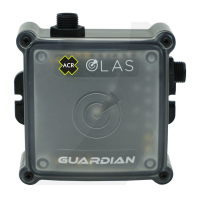
• Press the control switch for 4 seconds, release after the second beep – this will switch off the Guardian
• Switch off the OLAS transmitter/s to be removed. OLAS transmitter are turned off by pressing the
button on the transmitter for 4 secs. The light on the transmitter will then ash red.
• Hold all remaining OLAS transmitters within 1 meter of the Guardian
• Press the control switch to switch the Guardian ON
• The Guardian will scan for 30 seconds while the control switch LED ashes green to indicate scanning
• After 30 seconds, any OLAS transmitter within 1 meter of the Guardian will be tracked
• The number of connected OLAS transmitters is indicated with a sound signal and green ash per transmitter
• The control switch will illuminate green to indicate the Guardian is Tracking
• Switch on the OLAS transmitter and hold it within 1 meter of the Guardian
• Open the home screen and press the + icon in the bottom corner, press “Scan for new transmitter”
• The control switch will ash green for 10 seconds whilst scanning for new transmitters
• The number of connected OLAS transmitters is indicated with a sound signal and green ash per
transmitter
• The home screen will update with the newly connected transmitters
• Press the control switch for 2 seconds, release after a single beep, Tracking will be Paused
• Switch on the OLAS transmitter and hold it within 1 meter of the Guardian
• Press the control switch once, the control switch will ash green for 10 seconds whilst scanning for
new transmitters
• The number of connected OLAS transmitters is indicated with a sound signal and green ash per
transmitter
• Press the control switch for 2 seconds, release the control switch after a single beep
• When in Paused state the control switch will ash green for 3 seconds ON/3 seconds OFF
followed by a sound signal
• Press the control switch once to re-start Tracking
• If an OLAS transmitter has been removed or switched off the Guardian will remain in Pause
4. OLAS MOBILE APPLICATION FEATURES (AVAILABLE FROM HOME SCREEN)
5. PAUSE TRACKING
6. ADDING AN OLAS TRANSMITTER (WITHOUT THE OLAS APP)
7. ADDING AN OLAS TRANSMITTER (WITH THE OLAS APP)
8. REMOVE AN OLAS TRANSMITTER


 To Next Page