16 Copyright © Acronis, Inc., 2000-2009
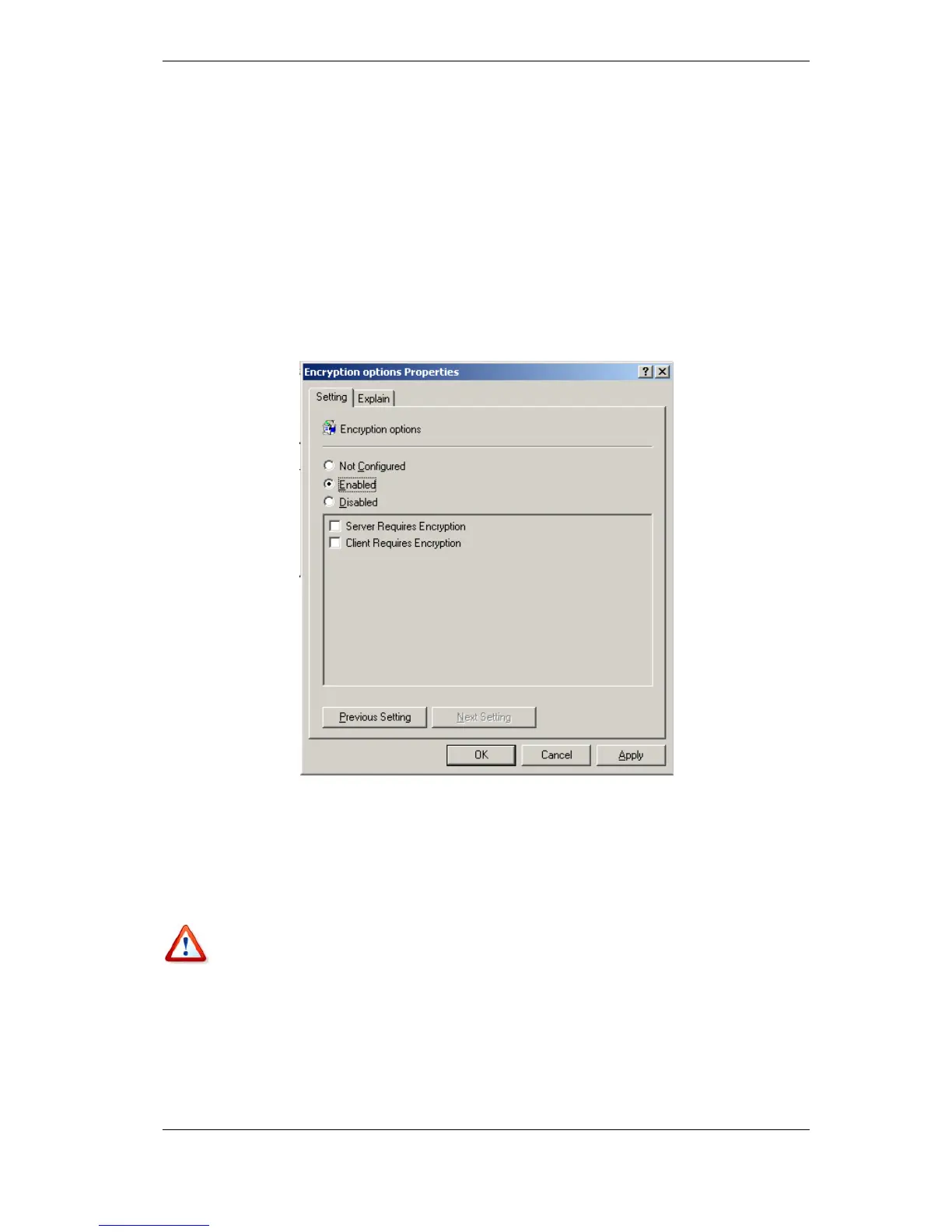
Encryption Options
• Server Requires Encryption
This option defines the server behavior in case the client does not support encryption.
When enabled, connection to the client will be terminated. When disabled, the client will
be allowed to establish non-encrypted connection.
• Client Requires Encryption
When connecting to server applications, the Acronis client applications always attempt to
establish an encrypted connection. The Client Requires Encryption option defines the
client behavior in case the server does not support encryption. When disabled, the non-
encrypted connection will be established. When enabled, the connection will be
terminated.
After applying the template or editing the encryption options, you should restart the
Remote Agent(s).
2.3 Installing Acronis True Image Echo Workstation components
To install Acronis True Image Echo Workstation components, run the Acronis True Image
Echo Workstation setup file.
If you have the trial version of Acronis True Image Echo Workstation installed on your
system, you must uninstall it before installing the commercial version of the product.
Select the program to install and follow instructions on the screen.



 To Next Page