710-00002.5
NOTE:
If the problem persists, contact the Dealer or ACT
Service. If the charger is not set to start automatically,
start the charge cycle by pushing the Green
START
button on the screen.
NOTE:
All Outdoor/GSE chargers have to be set for auto start
since the touch screen is disabled.
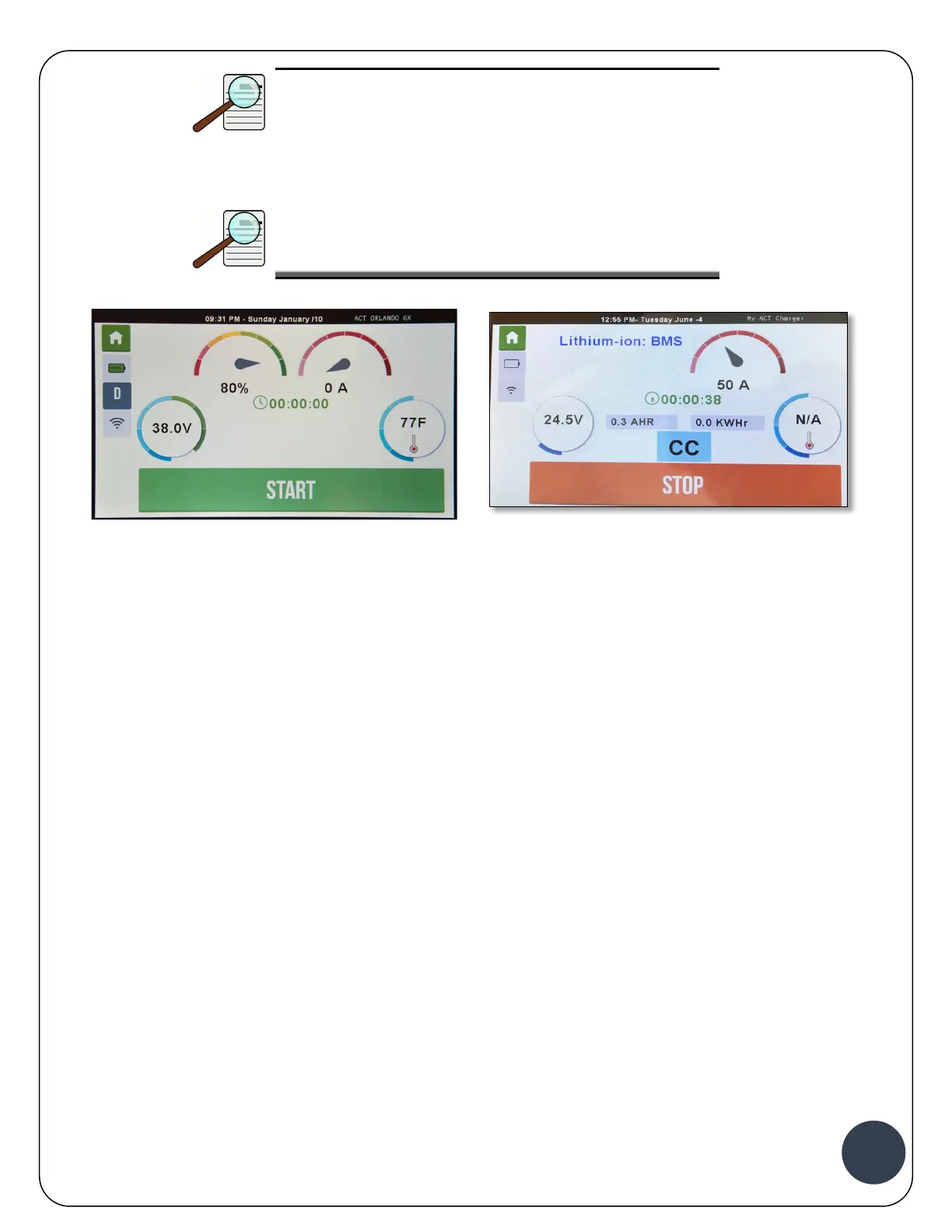
Quantum Charger LCD Screen Outdoor/ GSE LCD Screen
If either this screen or this message is not displayed, the battery has not been detected. Make
sure that the battery cables are connected properly and verify that the auxiliary contacts are
properly connected.
2. The Charge Cycle begins and the following screen showing the Charging Status display appears.



 To Next Page