USER MANUAL 750000992/16
3-15
MTS
e
After switching on
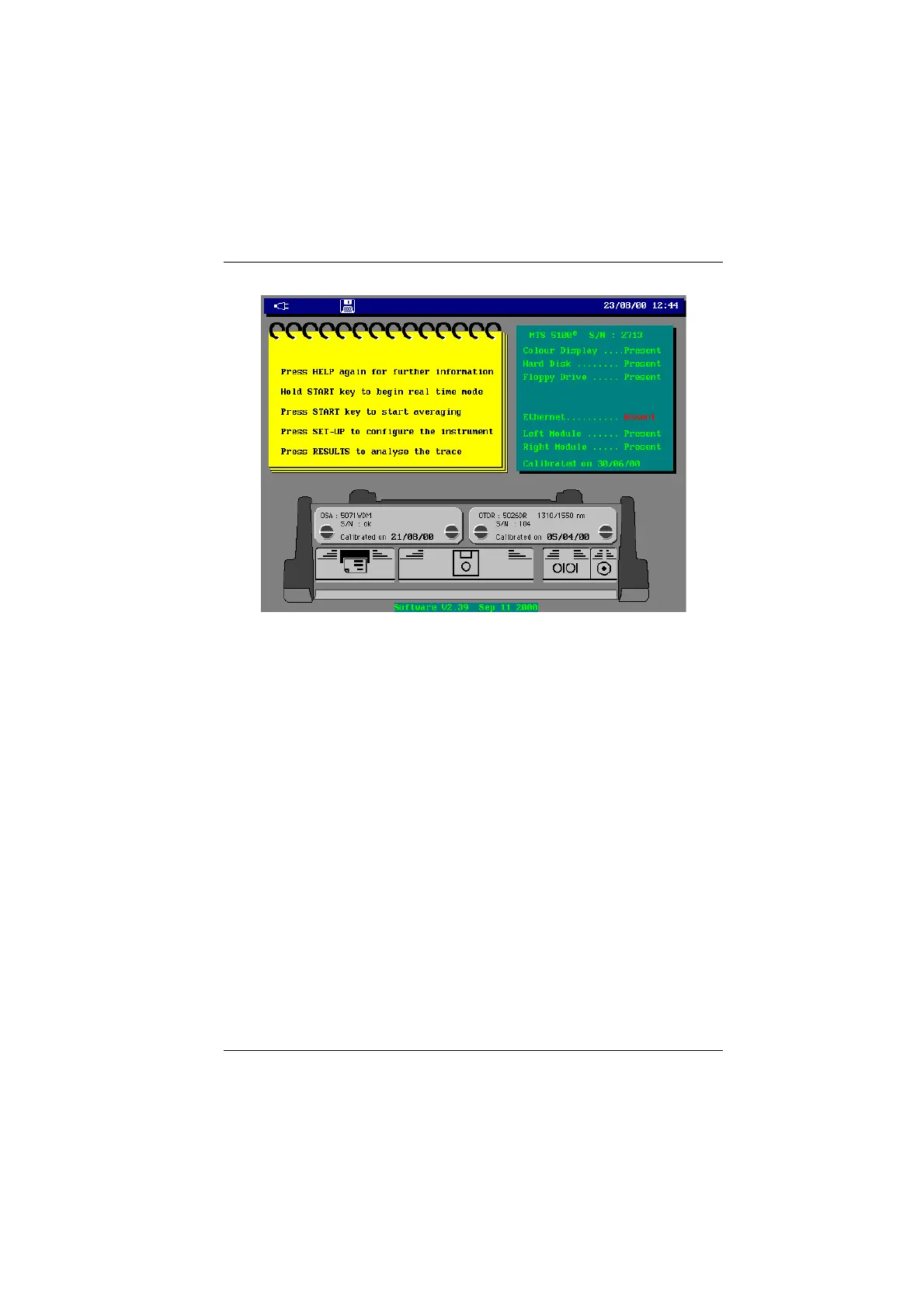
Welcome message (example with MTS 5100
e
)
If you don’t want this message at each power on, press the
SET-UP button, then
with the <System Setup> key, in the Screen window:
• move the cursor to Welcome message
• select the No option.
The Yes option will restore this message at each power on.
Setting the time
Press the
Set-up button, then with the <System Setup> key, in the Country
window, move the cursor to the Time option. The Hour and Minute keys are
displayed.
• Press the → or ← displacement keys to modify the minutes and hours.
Setting the date
• Press the
SET-UP button, then with the <System Setup> key, in the Country
window, move the cursor to the Date line. The date is displayed according to
the format defined on the following line.
• Modify the date using the → or ← displacement keys.
Choice of date format
• Press the
SET-UP button, then with the <System Setup.> key, in the Country
window, move the cursor to the Format option.
• Choose one of the options dd/mm/yy (day/month/year) or mm/dd/yy
(month/day/year) for the required date format.
Artisan Technology Group - Quality Instrumentation ... Guaranteed | (888) 88-SOURCE | www.artisantg.com


 To Next Page
 Loading...

