Hardware Manual
16
Step 4: Connect the Cable(s)
1. Connect the network cable to the Ethernet port of the camera.
2. If necessary, connect audio input/output or DI/DO devices to the camera. See How to
Connect DI/DO and Audio Devices on page 17 for more information.
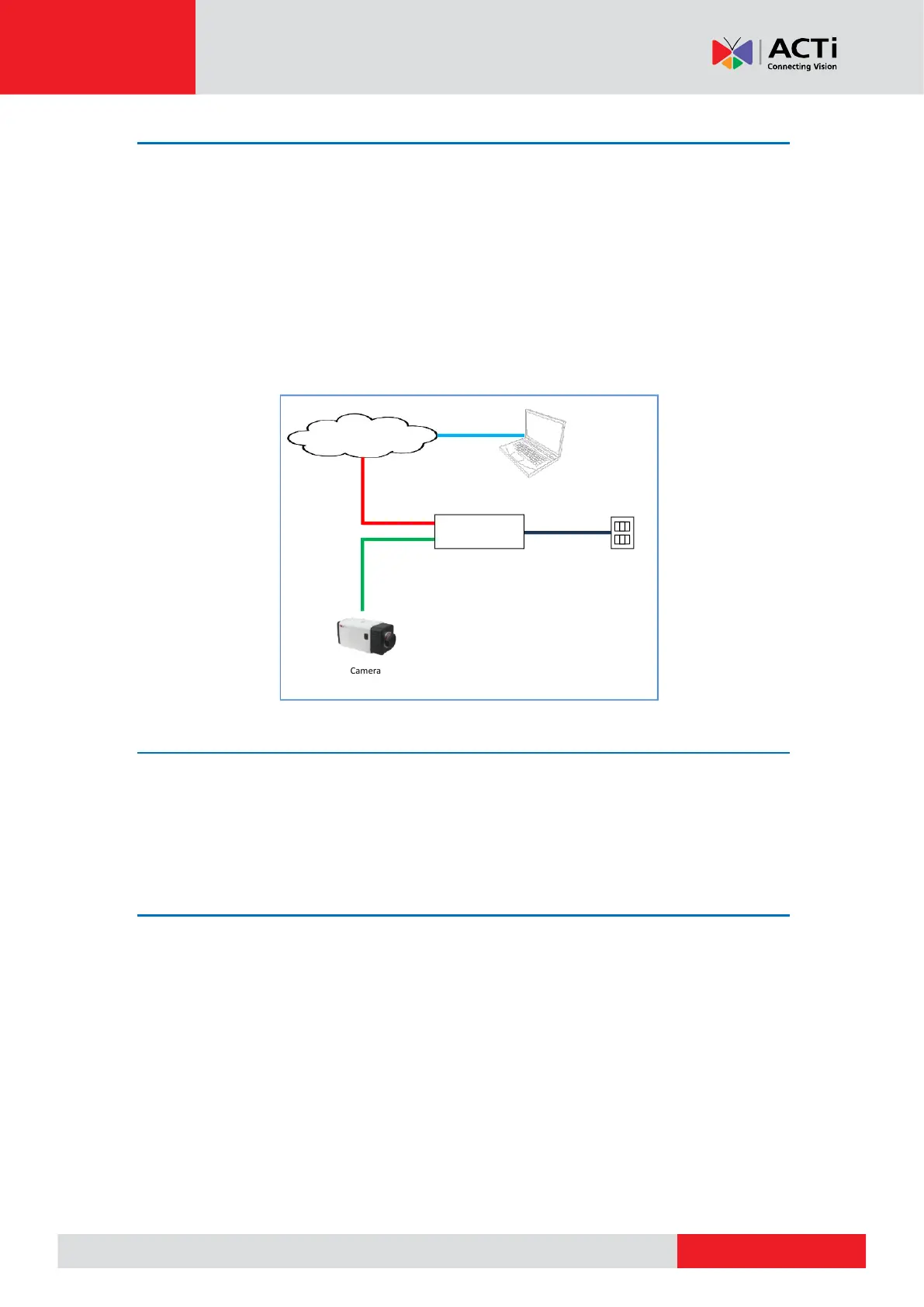
3. Connect the other end of the network cable to a switch or injector. Then, connect the switch
or injector to a network, PC and a power source. See Power-over-Ethernet (PoE) connection
example below.
Step 5: Access the Camera Live View
See Accessing the Camera on page 26 for more information on how to access the Live View of
the camera.
Step 6: Adjust the Viewing Angle and Focus
Based on the live view, adjust the focus and the viewing angle of the camera. Adjustments vary
depending on model, for detailed information, see How to Adjust the Viewing Angle and
Focus (A23, A24) on page 24.



 To Next Page