2
Installation of Conduit
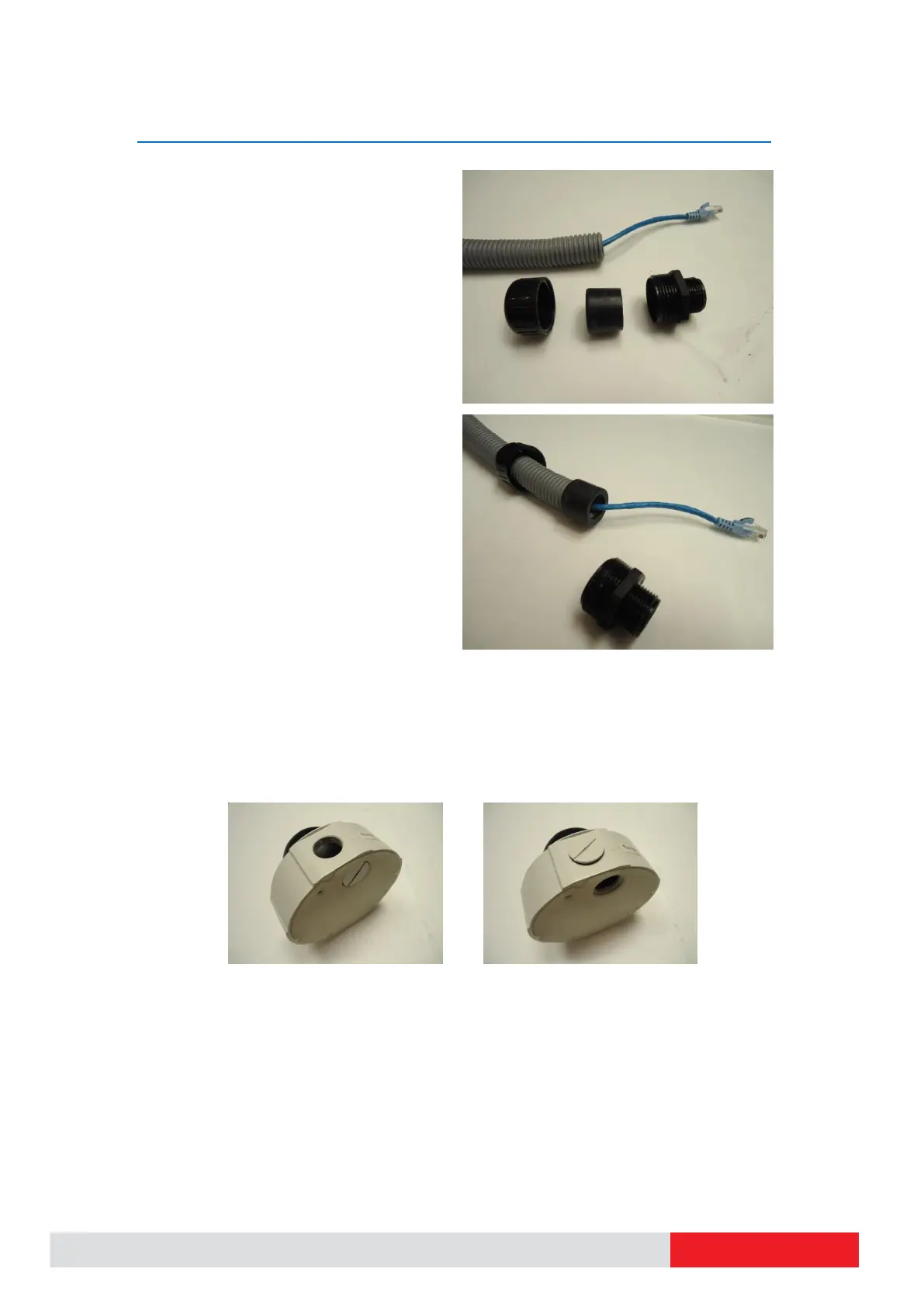
Have the Ethernet cable inserted through the
flex conduit together with RJ-45 connector.
You may also consider to do the RJ-45
connector crimping after pushing the cable
through the conduit.
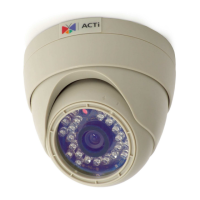
Disassemble the conduit gland.
Slide the clamping nut around flex conduit
some 10-20 cm away from the top. Fit the
sealing insert (made of rubber) to the top of
the flex conduit.
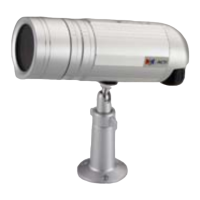
On the camera side, decide which of the 2 possible holes you are going to use to connect the
flex conduit. There is one hole on the side, and one on the bottom. Whichever you pick,
remember to seal off the other one with the metal patch (included in the camera set).


 To Next Page